Save 23% ($351) & Get a Free 1-1 Call with our Team ⏰ : 0d 2h 59m 43s
How to Place Limit Orders on Jupiter
Limit order is one of the most useful tools in a trader's arsenal. This is especially true in crypto because you might not know when the price will either go up or down. That's why many newcomers don't know how to place limit orders on Jupiter. But that's why we're here to help you guide you through each step of the process.
It might seem like a daunting task for someone who isn't familiar, but it couldn't be more simple. The concept behind it is straightforward. You set limits on when you want to buy or sell a token. This limit is set in terms of how much token you want to spend or purchase. Once that limit is reached, the trade will automatically be processed.
TL;DR
To place limit orders on Jupiter, start by registering on a crypto exchange like Binance, funding your account with USDT, and setting up a Phantom Wallet. Transfer USDT to the wallet using the Solana network for low fees. Connect your wallet to Jupiter, select your token pair, set the desired price and amount, and confirm the order. Monitor your order in the Order History section and ensure your wallet is secure for safe trading.Video Tutorial
Quick Step-by-Step Flow Chart
For those looking for a quick overview, here’s a step-by-step flow chart that outlines the entire process at a glance. Refer to this chart if you want a visual guide to follow alongside the detailed steps below.
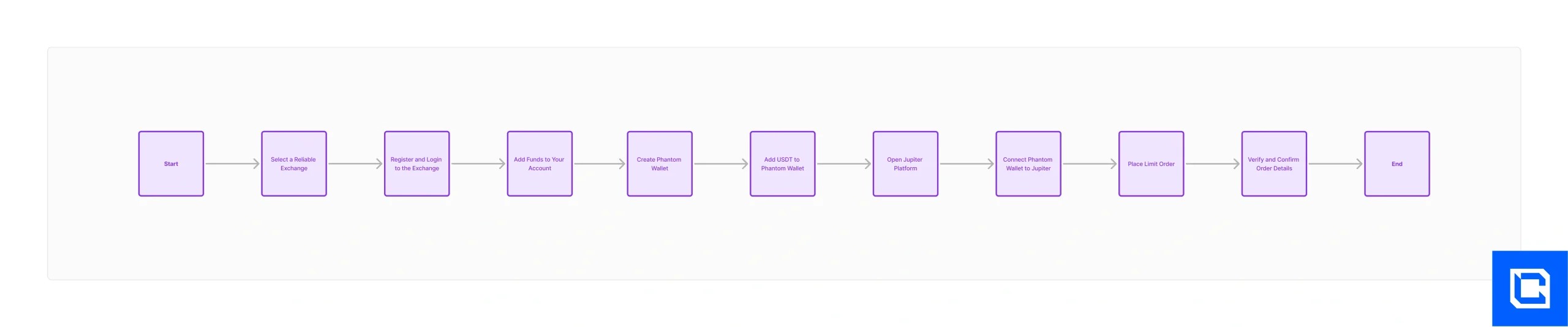
Click Here for the Full High-Resolution Flow Chart
Now, we'll start with the practical aspect and show you how to place limit orders on Jupiter using a Solana-based wallet like Phantom Wallet. With that said, let's get started.
Step 1: Select an Exchange
We don't want to rush the process of learning how to place limit orders on Jupiter using Phantom. We'll take you through each step of the way, and at the very first, you need to choose a CEX (Centralised Exchange). Finding a reliable and trustworthy platform is the key. You must register on a cryptocurrency exchange. Here are some popular exchanges:- Binance
- Coinbase
- Kraken
- Gemini
- Robinhood
- Go to the app store and download the Binance app on your phone.
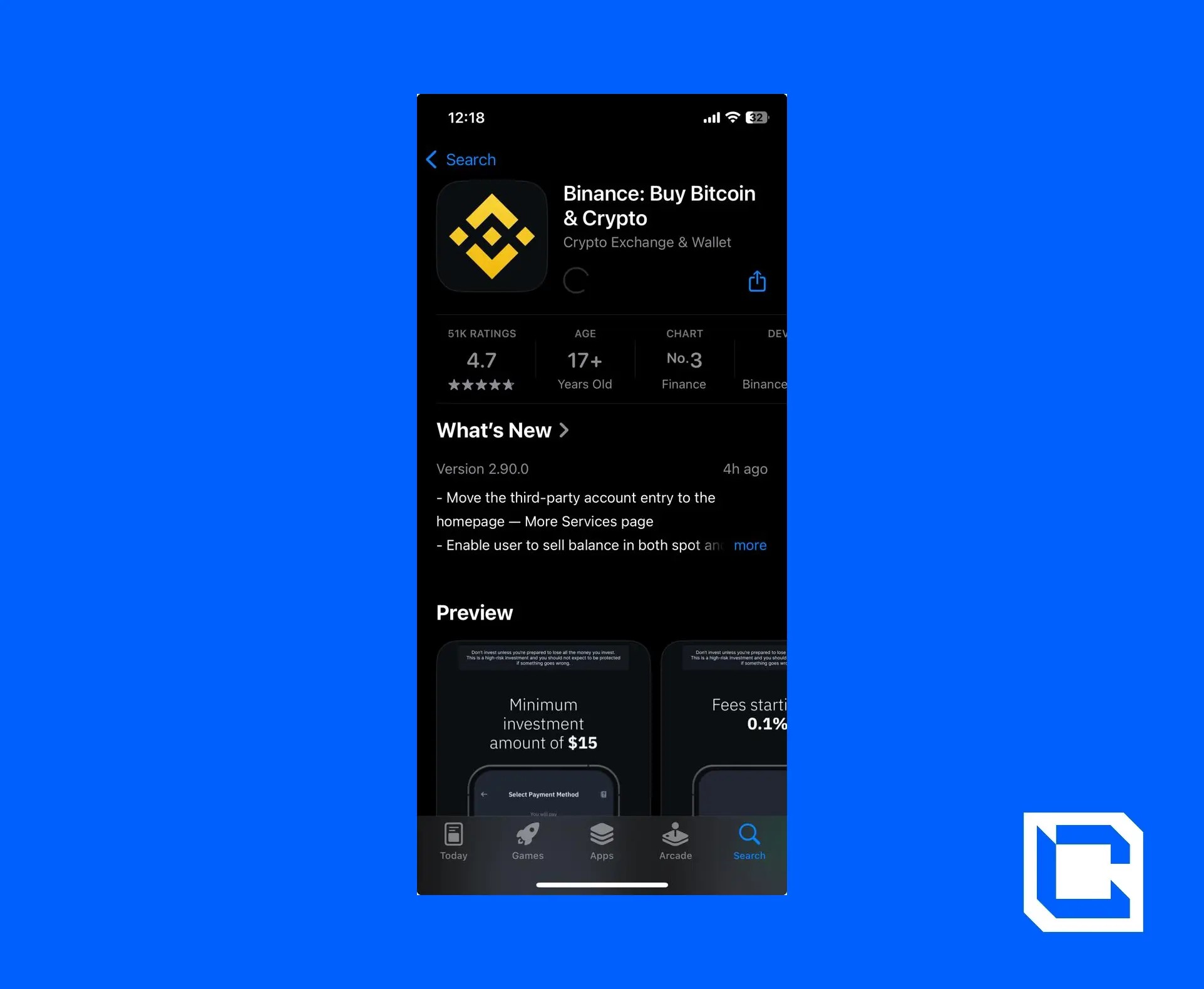
Step 2: Login to Your Account
Once the app is installed, the next step is to log in to your account.- We'll be using our Gmail account to log in quickly.
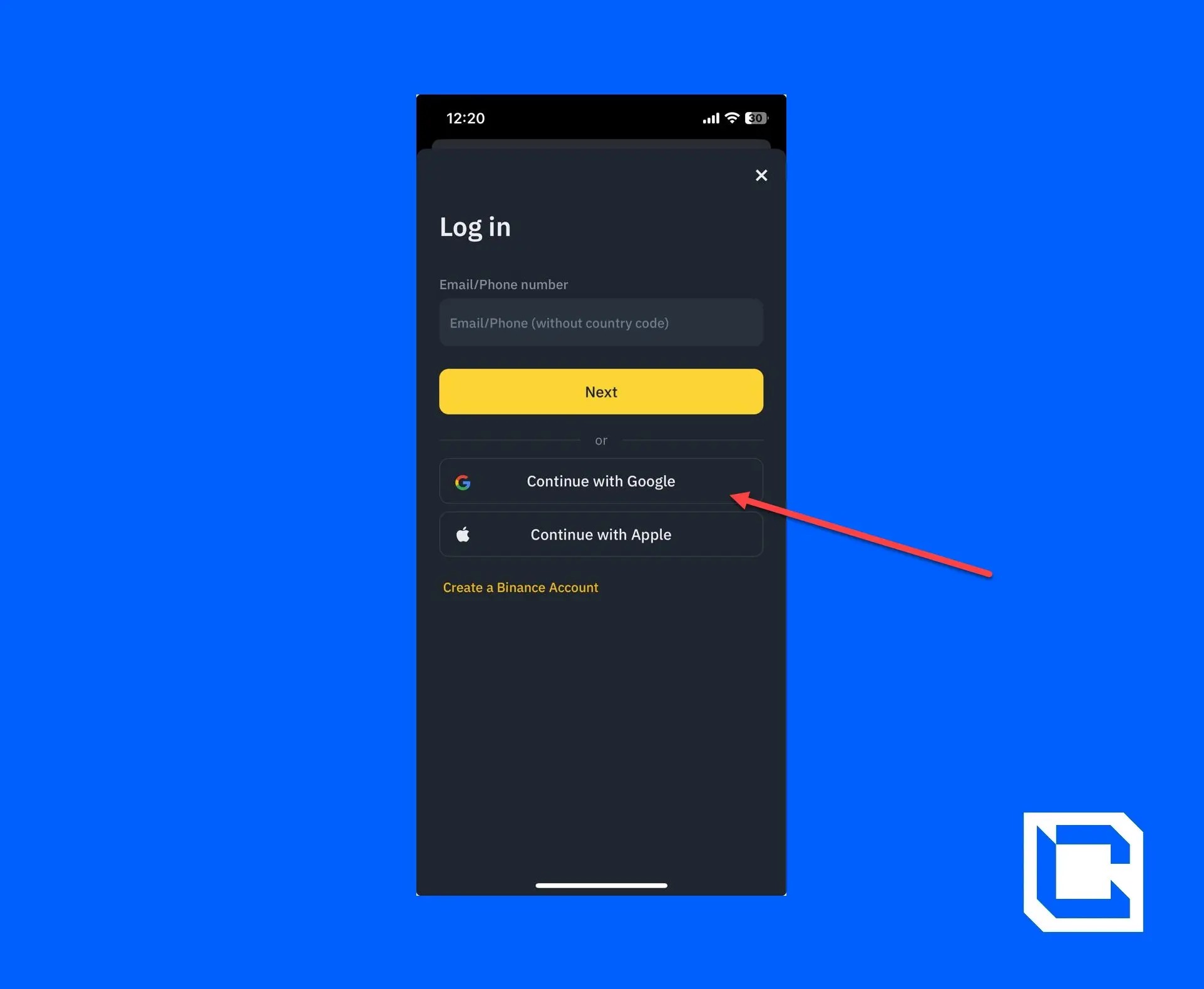
Note: To do any exchange or trading, you must have a verified account. To learn how to create and verify your Binance account, check out our guide on how to use Binance.
Step 3: Adding Funds to Your Account
Now that your account is ready, you need to have funds before learning how to place limit orders on Jupiter. There are usually several options to fund your account. You can choose from the following options if you don't have any crypto assets.- Buy with GBP: You can add funds using a bank transfer or credit/debit card.
- P2P Trading: You can buy directly from another user on the platform.
- Deposit Crypto: You can exchange other cryptocurrencies for GBP.
Note: Once you've deposited GBP into your account, you'll have to convert it into USDT. It's a fairly simple process.
However, we'll be adding USDT directly to your wallet using a credit/debit card.
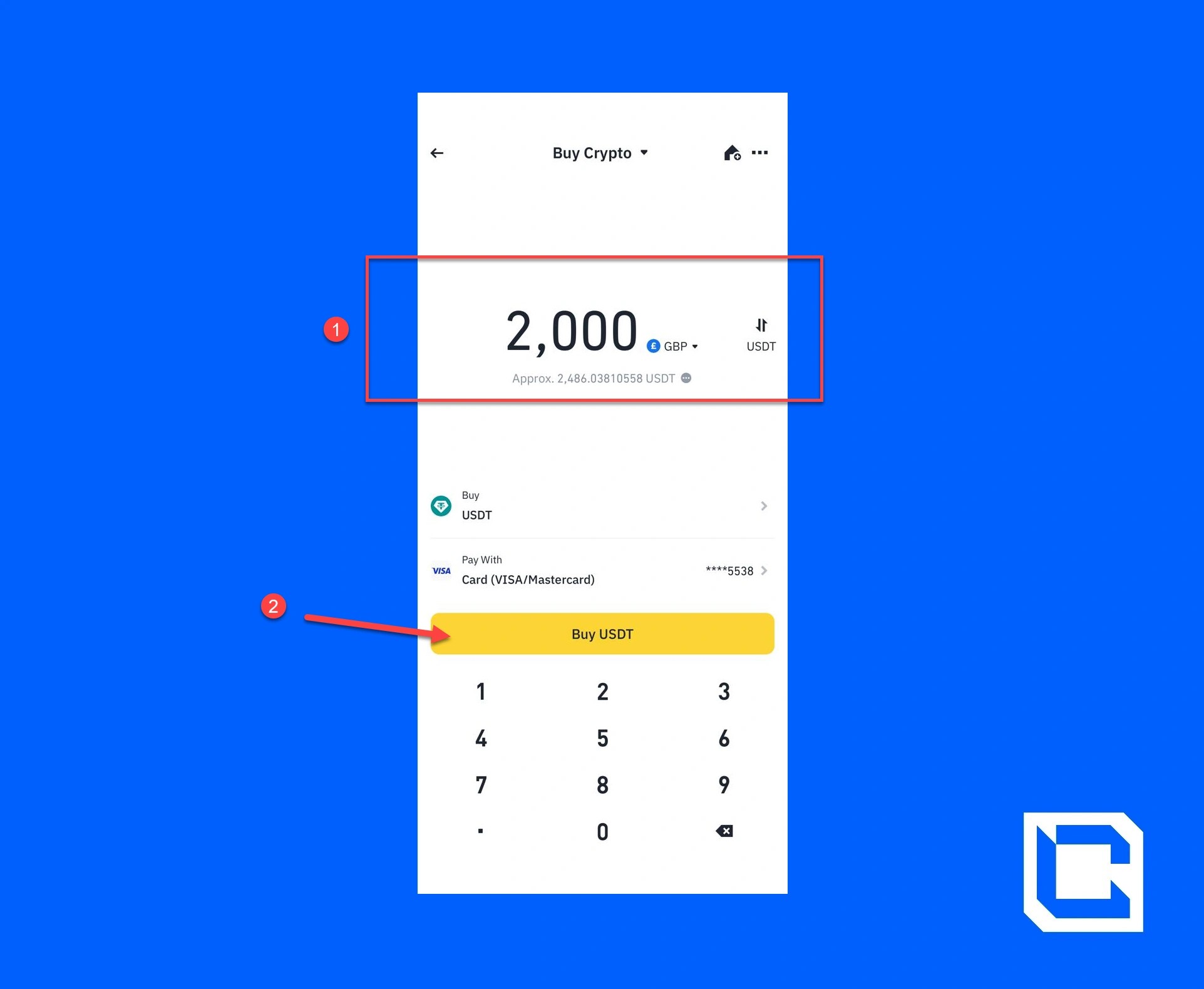
- First, you need to open the Binance app and tap on the search bar.
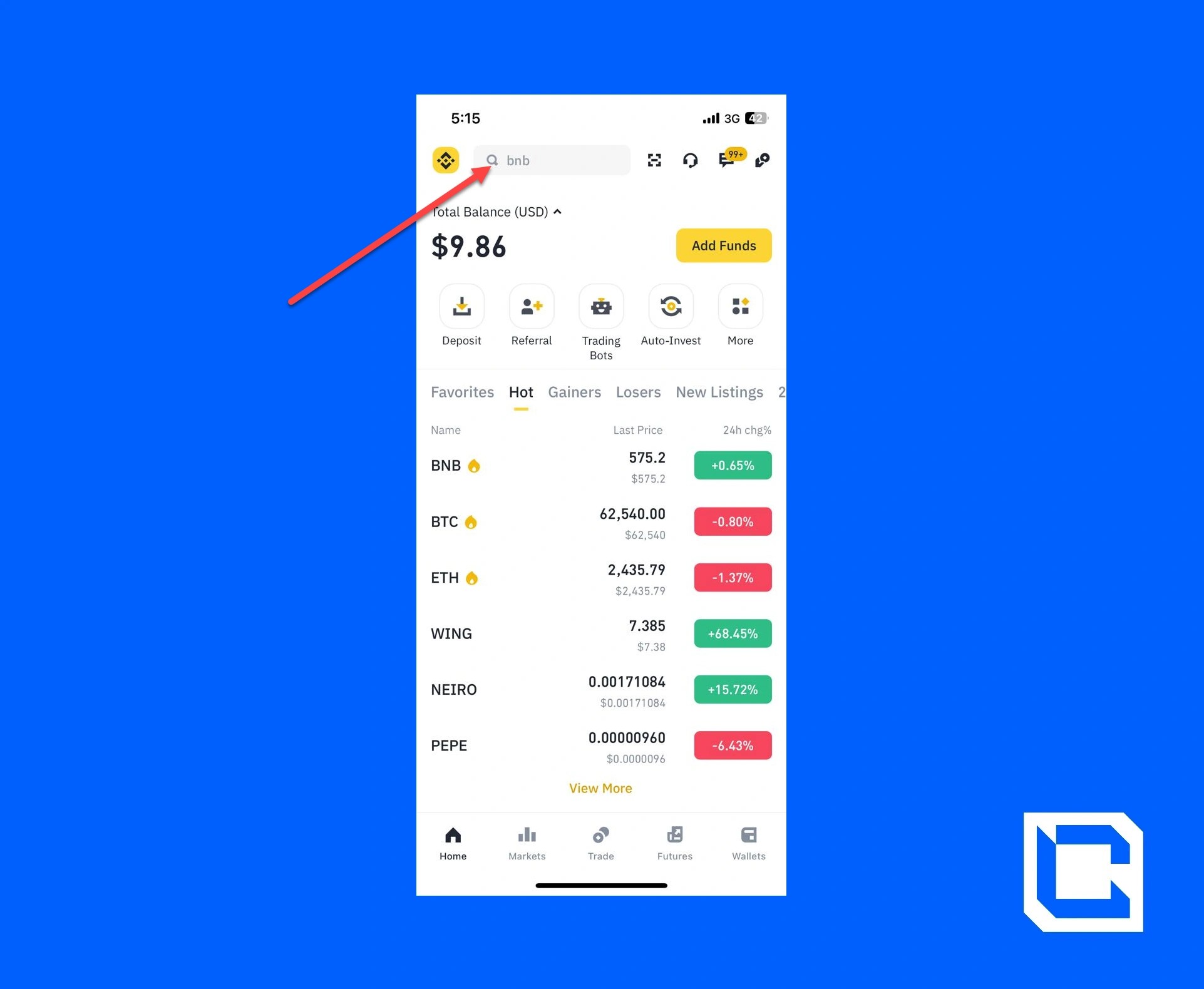
- Search for "Buy Crypto" and tap on it.
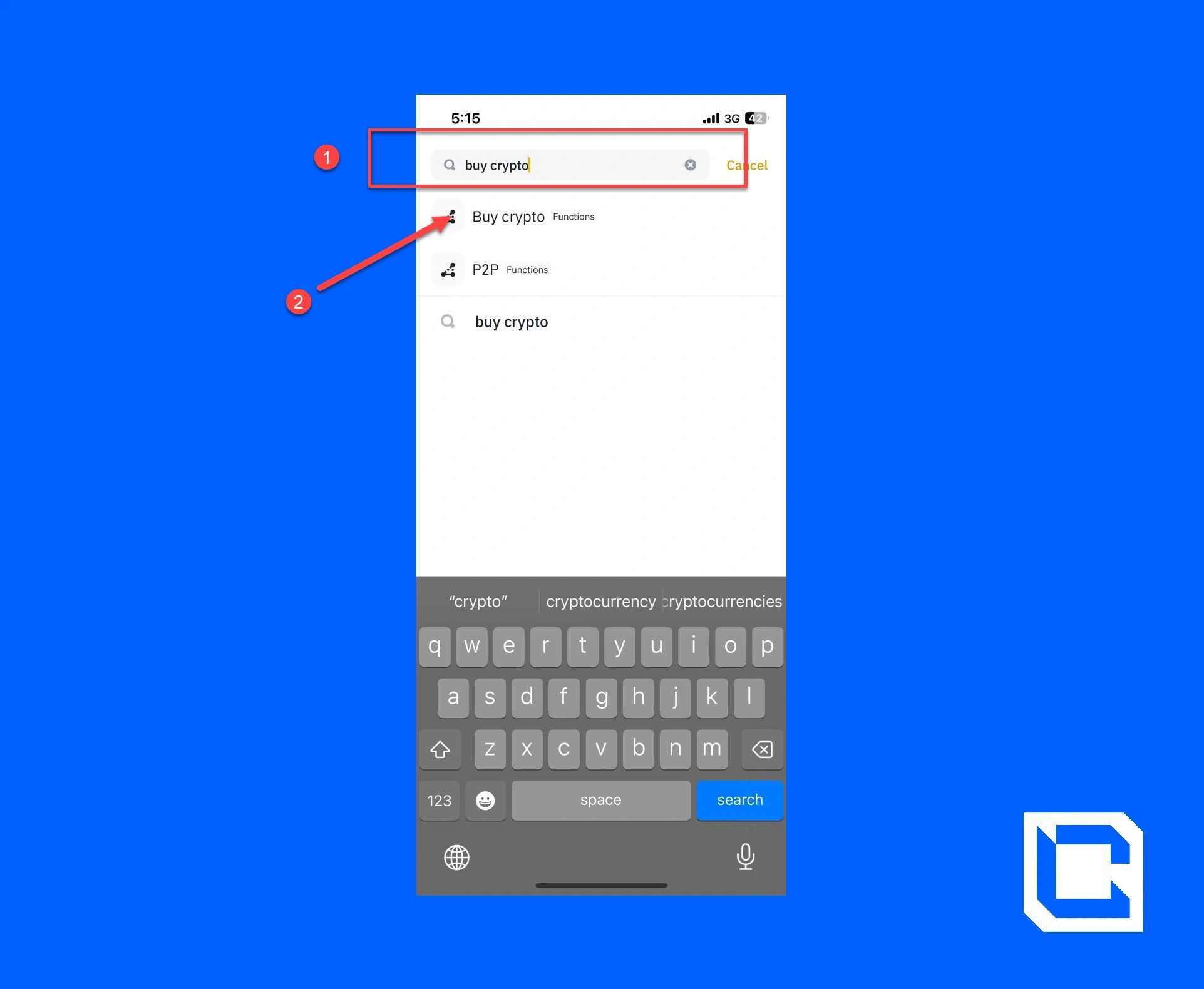
- Make sure that the crypto you want to buy is set to USDT.
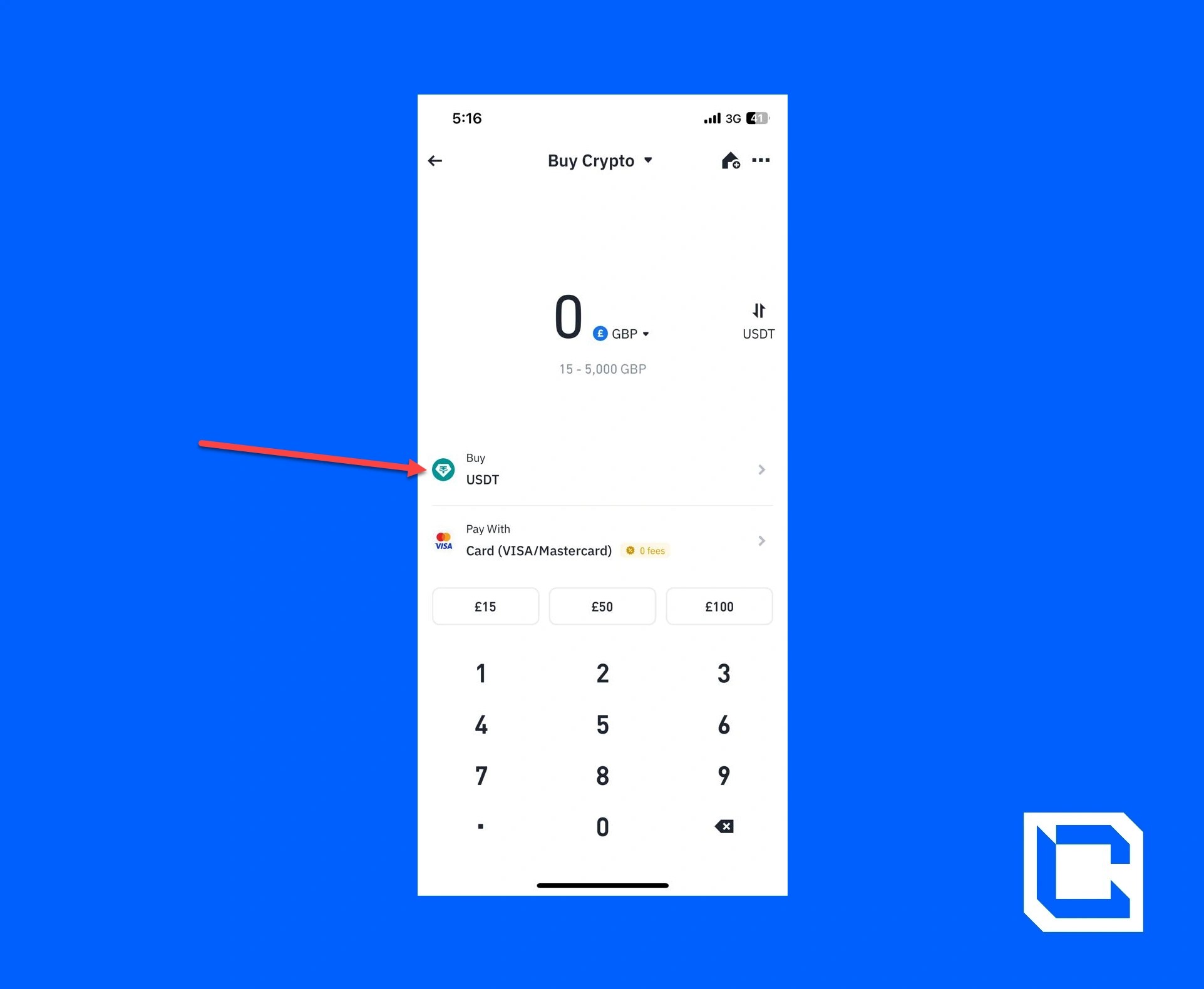
- Enter the GBP you want to spend, select the payment method for the credit/debit card, and tap on the "Buy USDT" button.
Step 4: Creating Phantom Wallet
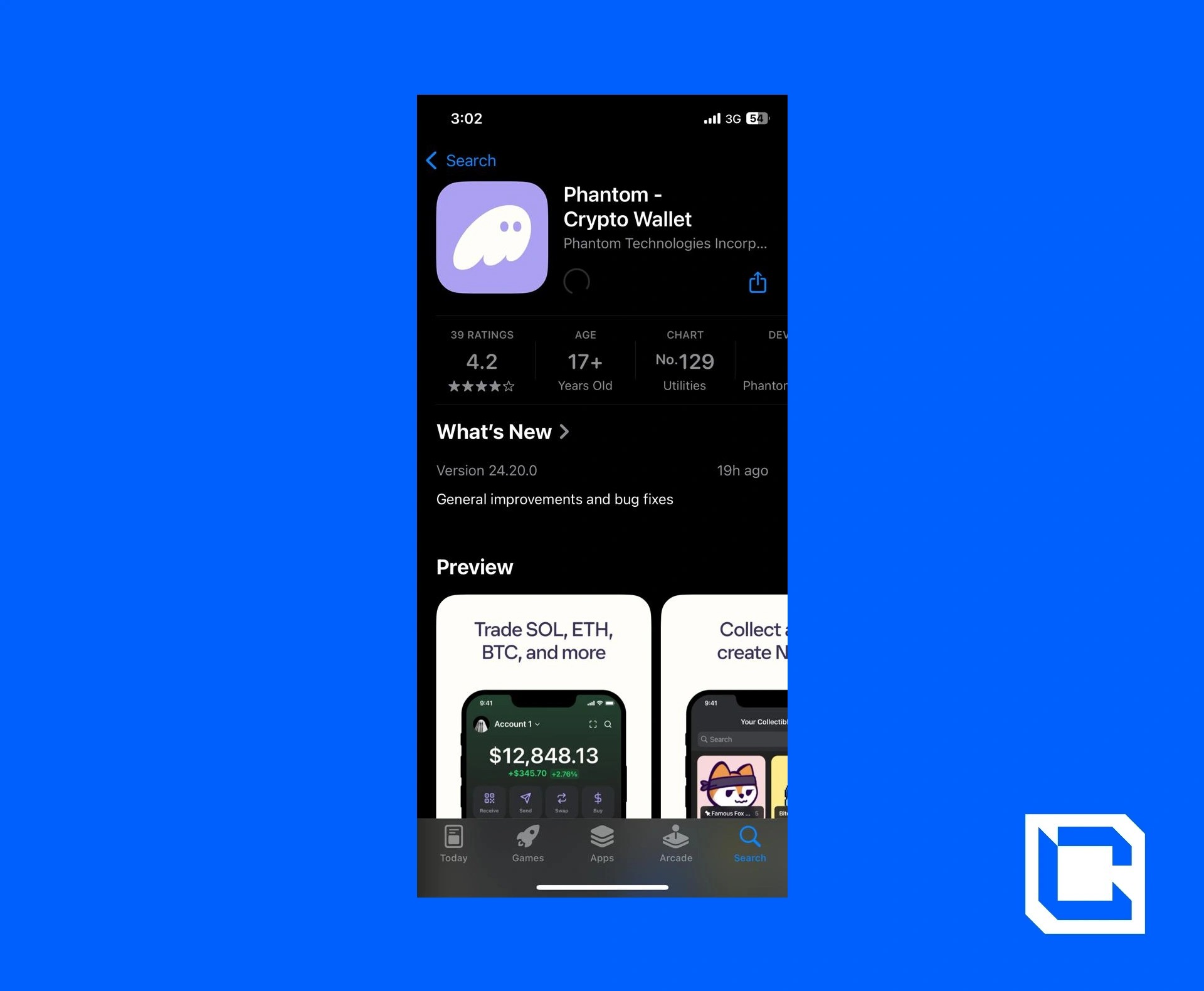
Now, we'll create a Phantom Wallet if you want to learn how to place limit orders on Jupiter. Learning how to use Phantom Wallet is also important, but we'll guide you through the process. To create a wallet, you need to first install and set up a wallet on Phantom Wallet.- Download the "Phantom Wallet" app to your mobile phone.
- Once downloaded, open the app and agree to the terms of service. After that, tap on the "Create a new wallet" button.
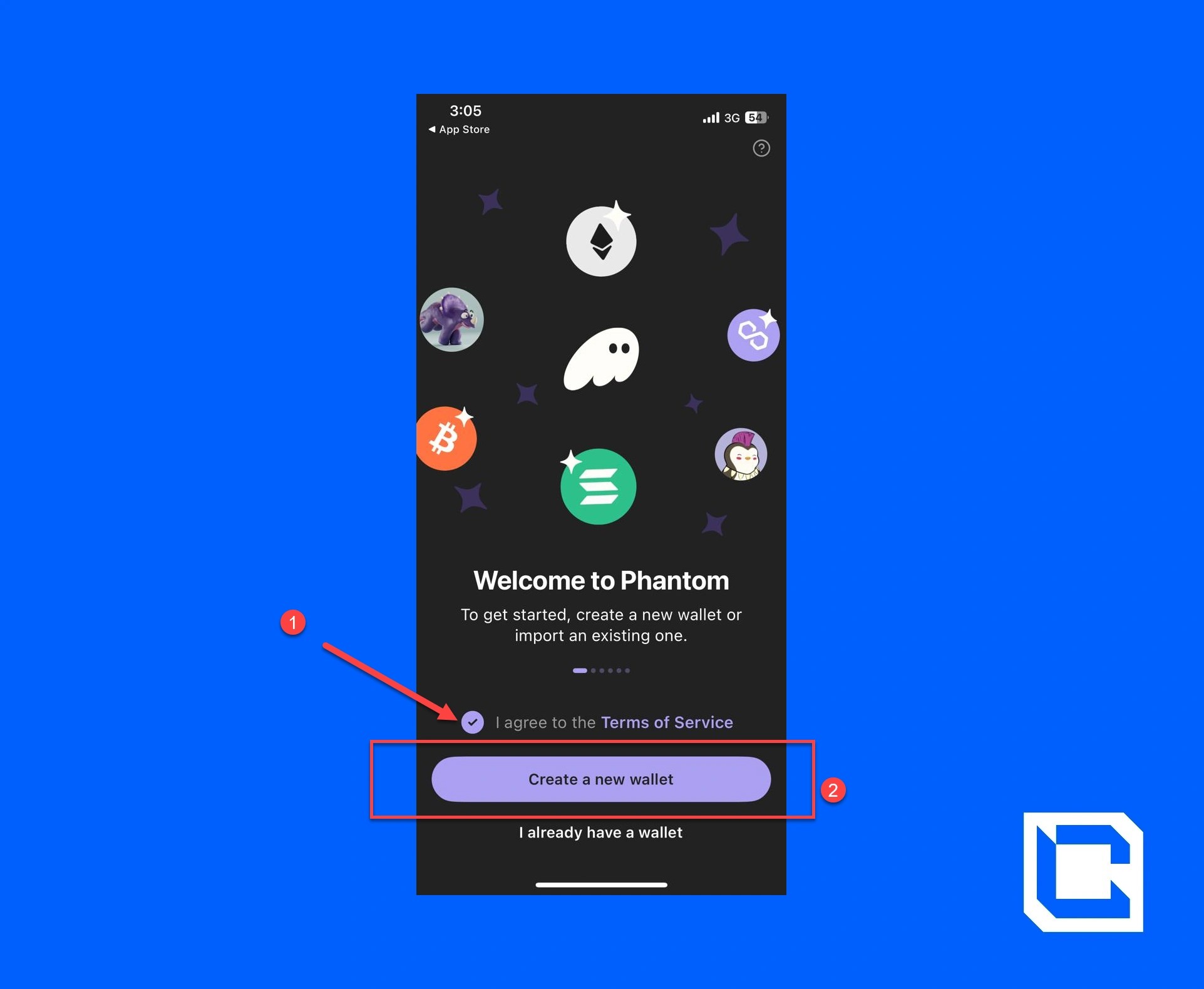
Note: If you already have an account, then simply tap on the "I already have a wallet" option.
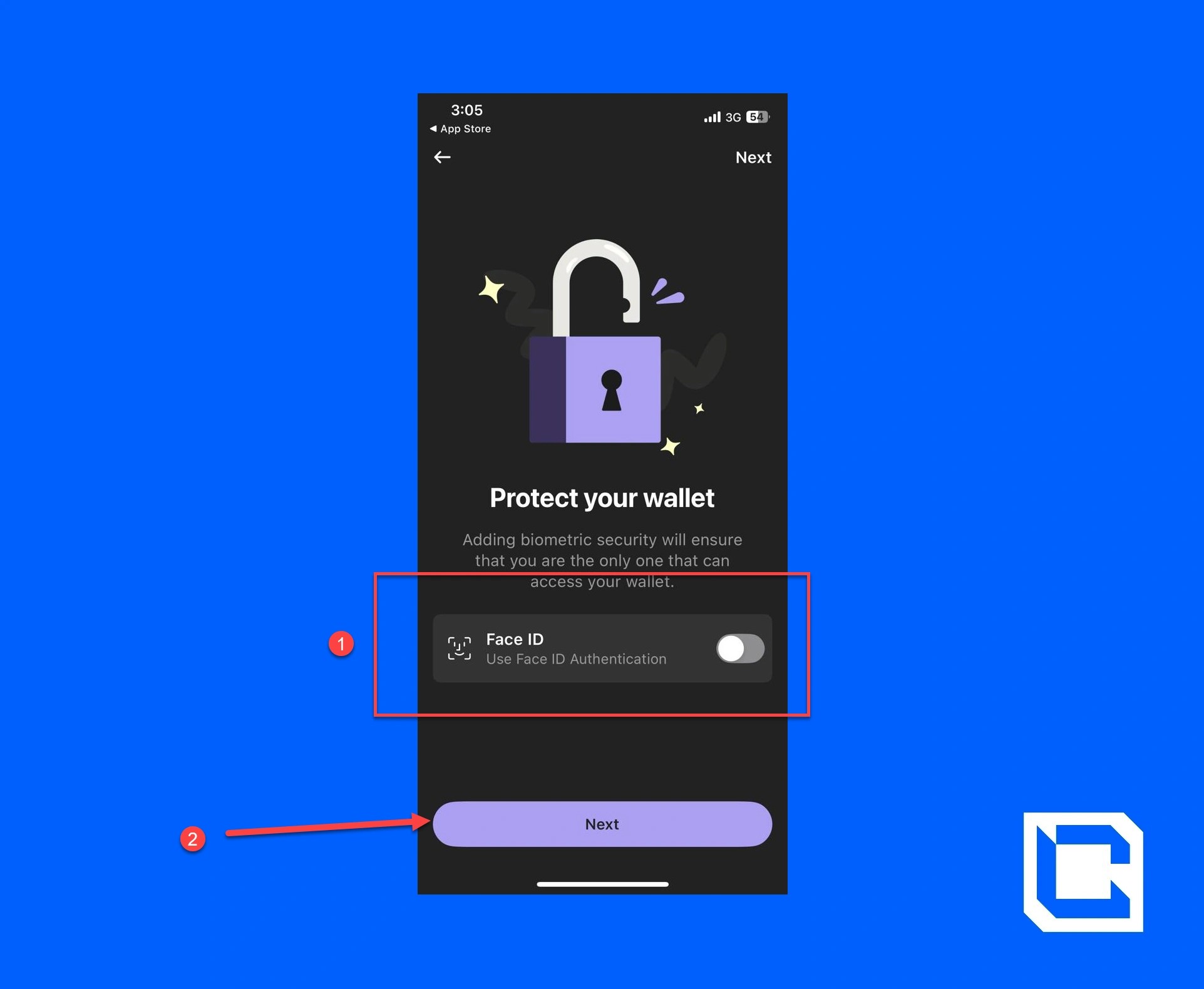
- Toggle the "Face ID" switch to on and tap the "Next" button.
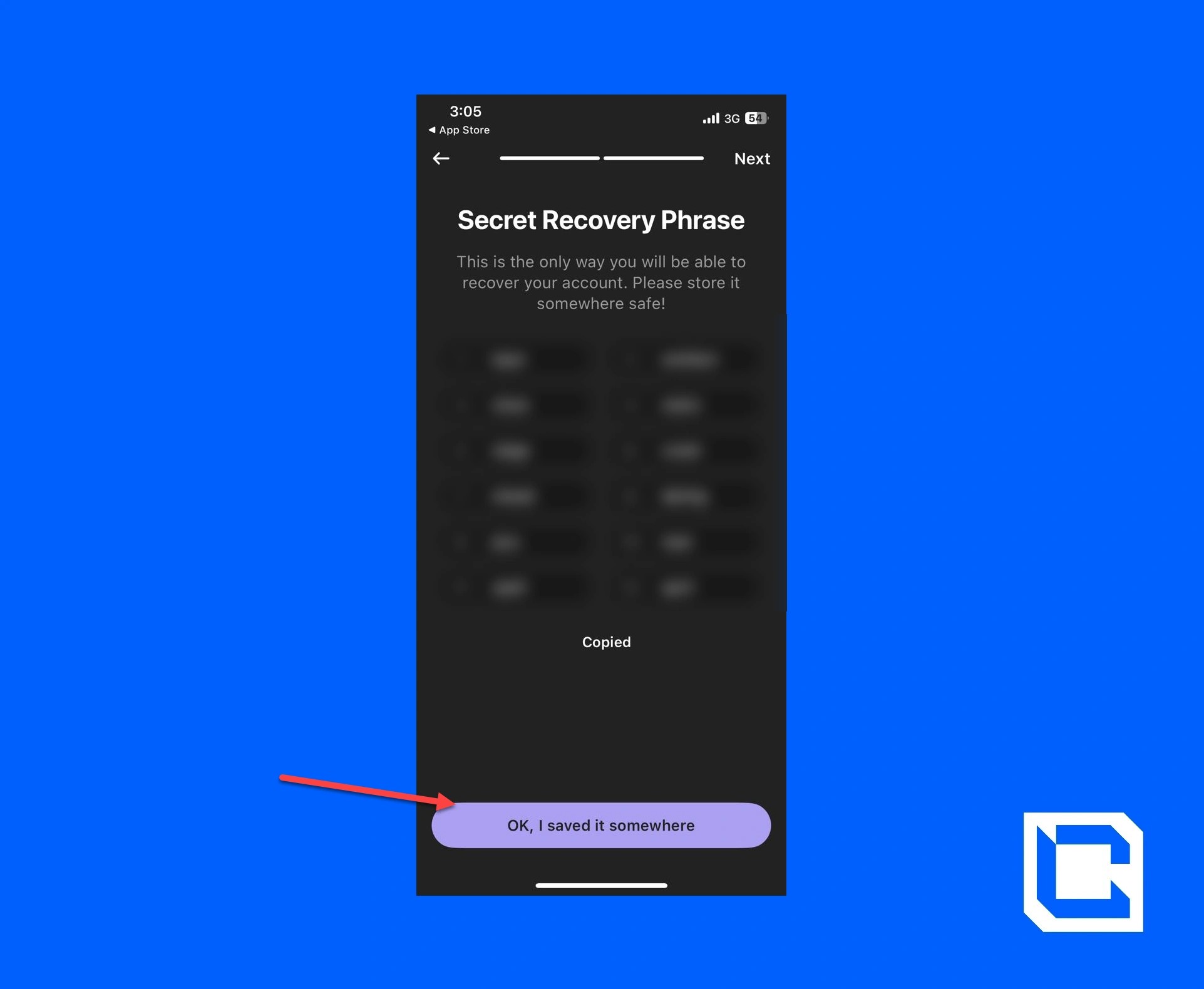
- Copy the recovery phrase and tap on the "OK, I saved it somewhere" button.
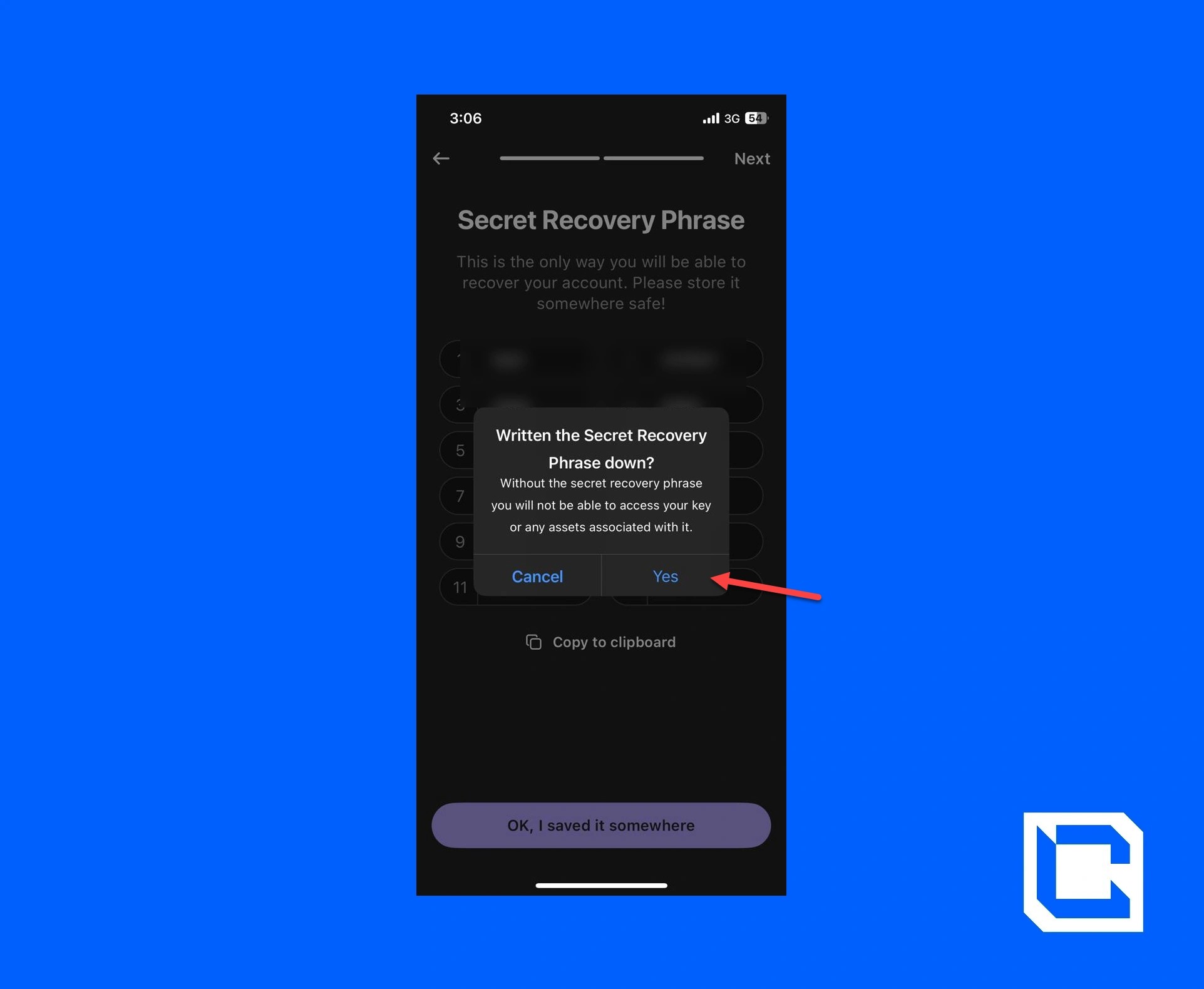
- A pop-up will appear on the screen. Tap on "Yes" to continue.
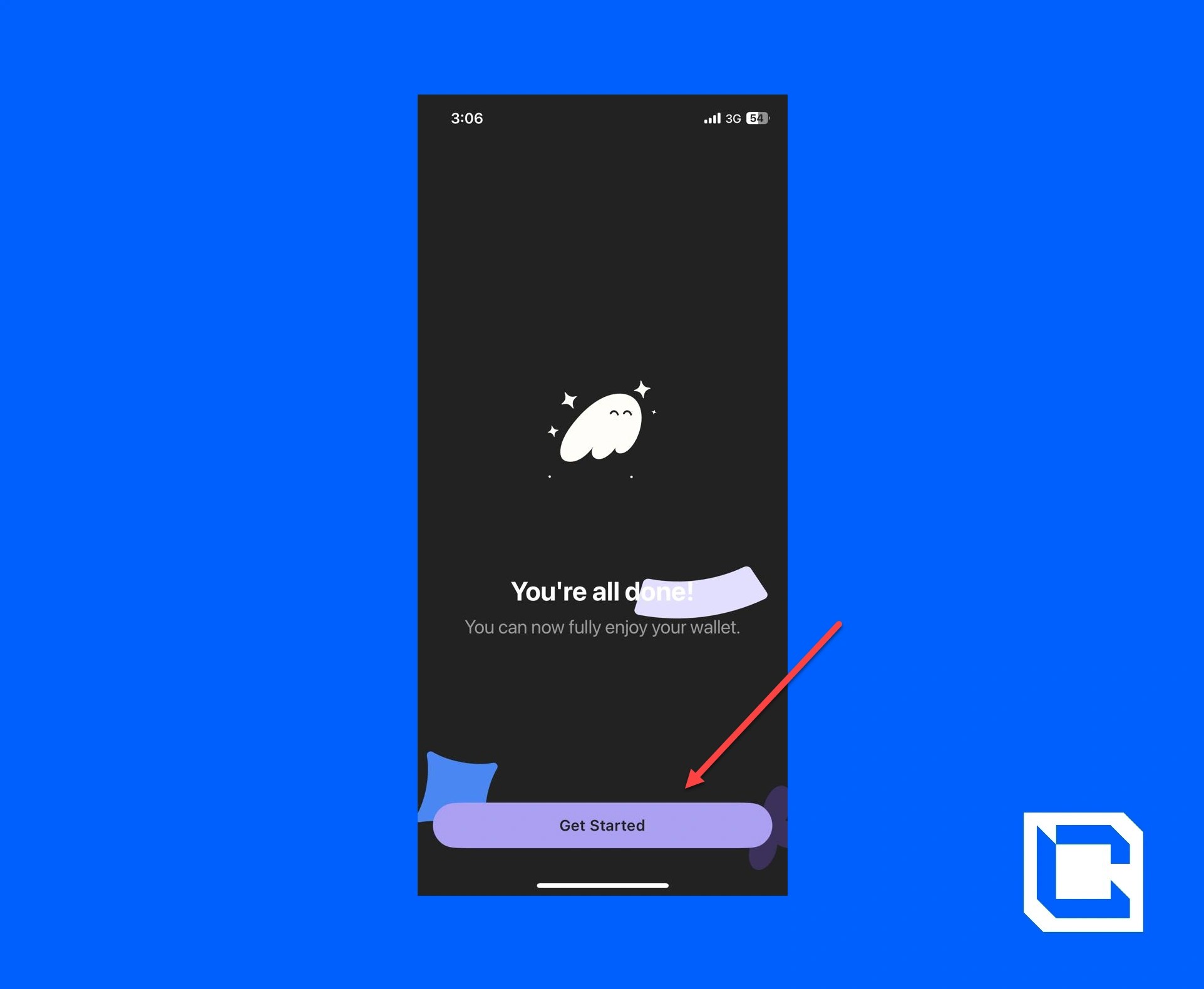
- Now, your account is ready. Just tap on the "Get Started" button.
Step 5: Adding USDT to Phantom Wallet
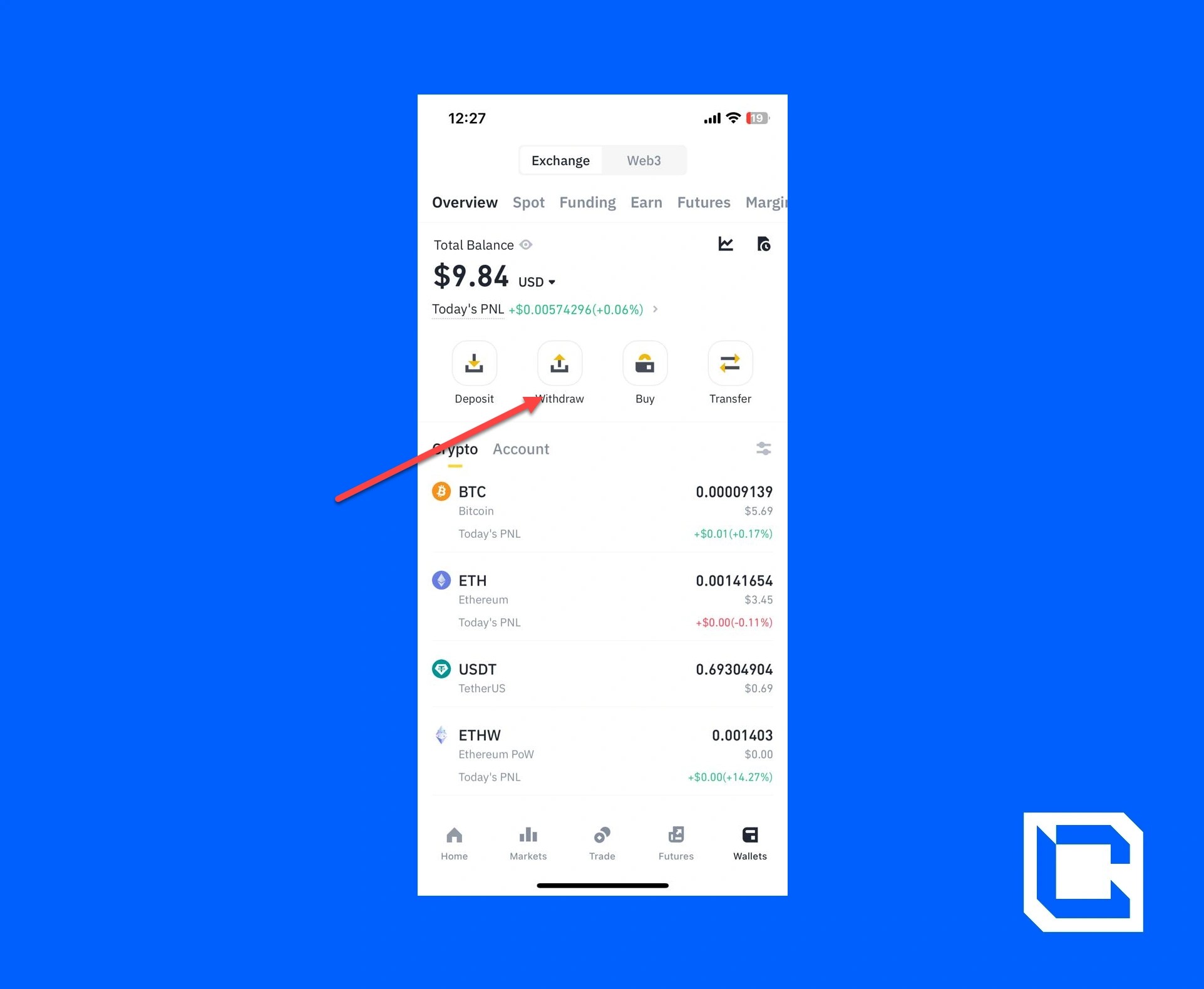
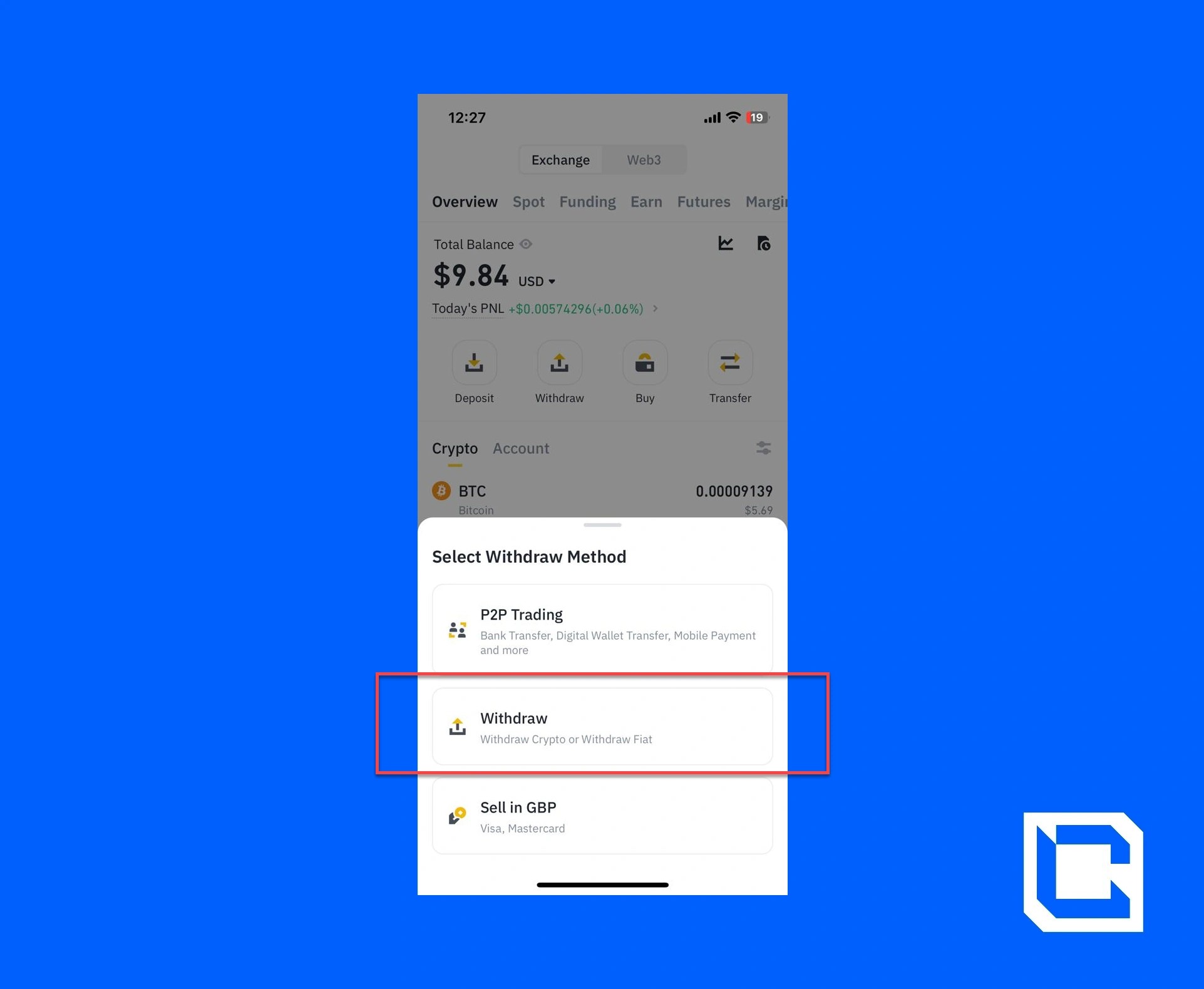
Now that you set up the wallet, you need to add USDT to your Phantom Wallet. We'll be using Solana because it has the lowest exchange rate.- Go to the Binance app and tap on the "Withdraw" icon.
- Again, tap on the "Withdraw" option.
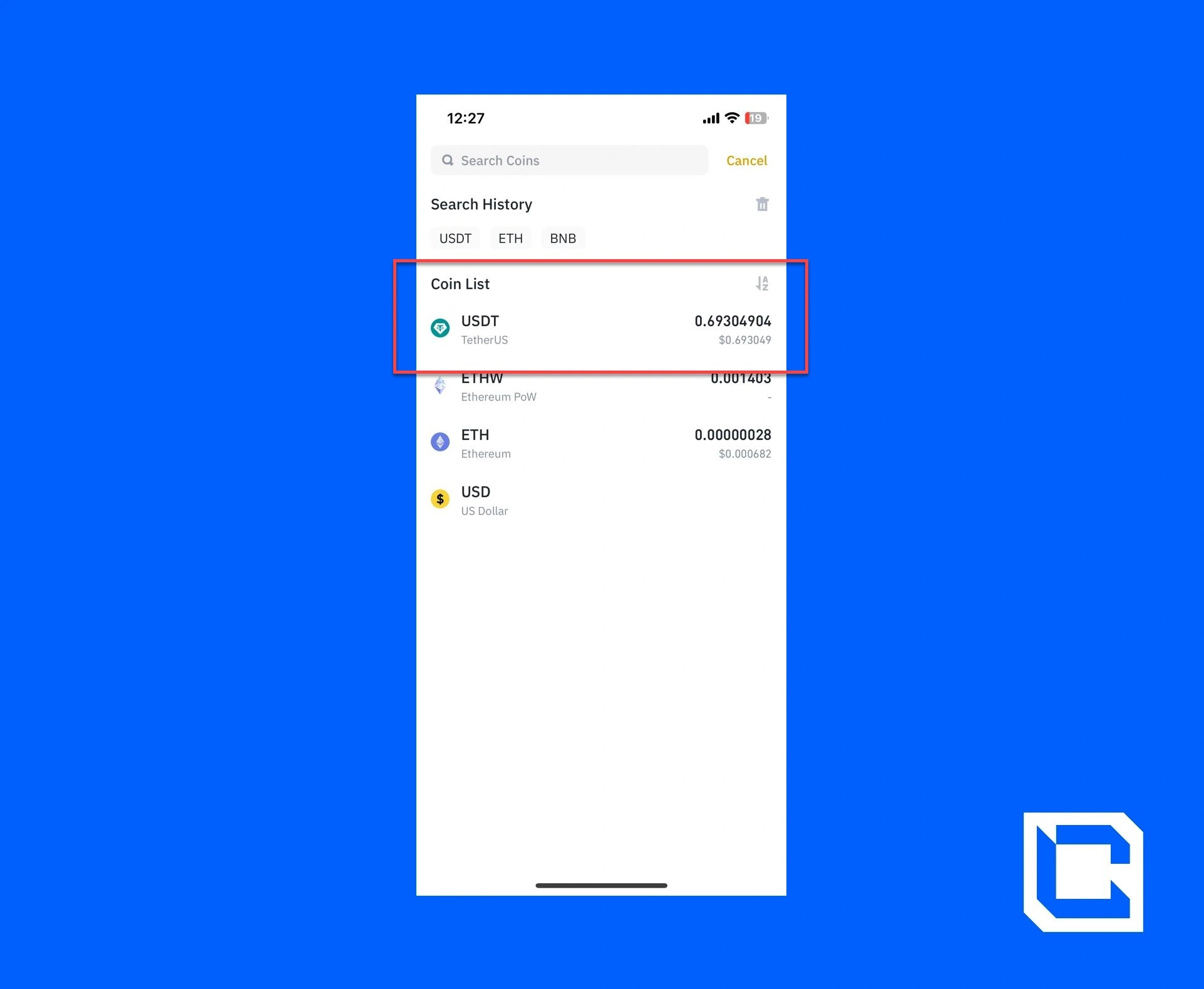
- Choose the USDT option.
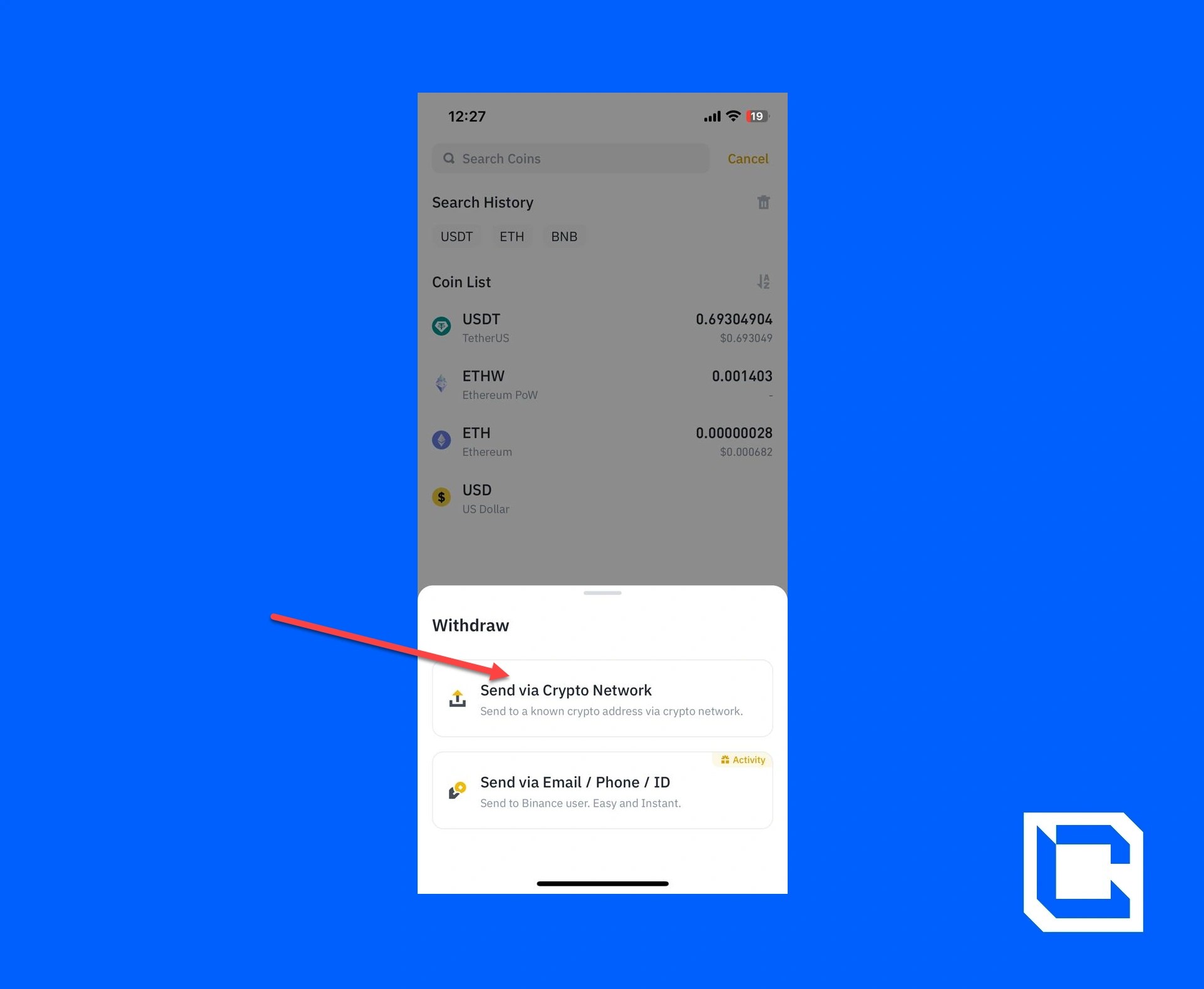
- Tap on the "Send via Crypto Network" option.
- Now open your Phantom Wallet and tap on the "SOL" option.
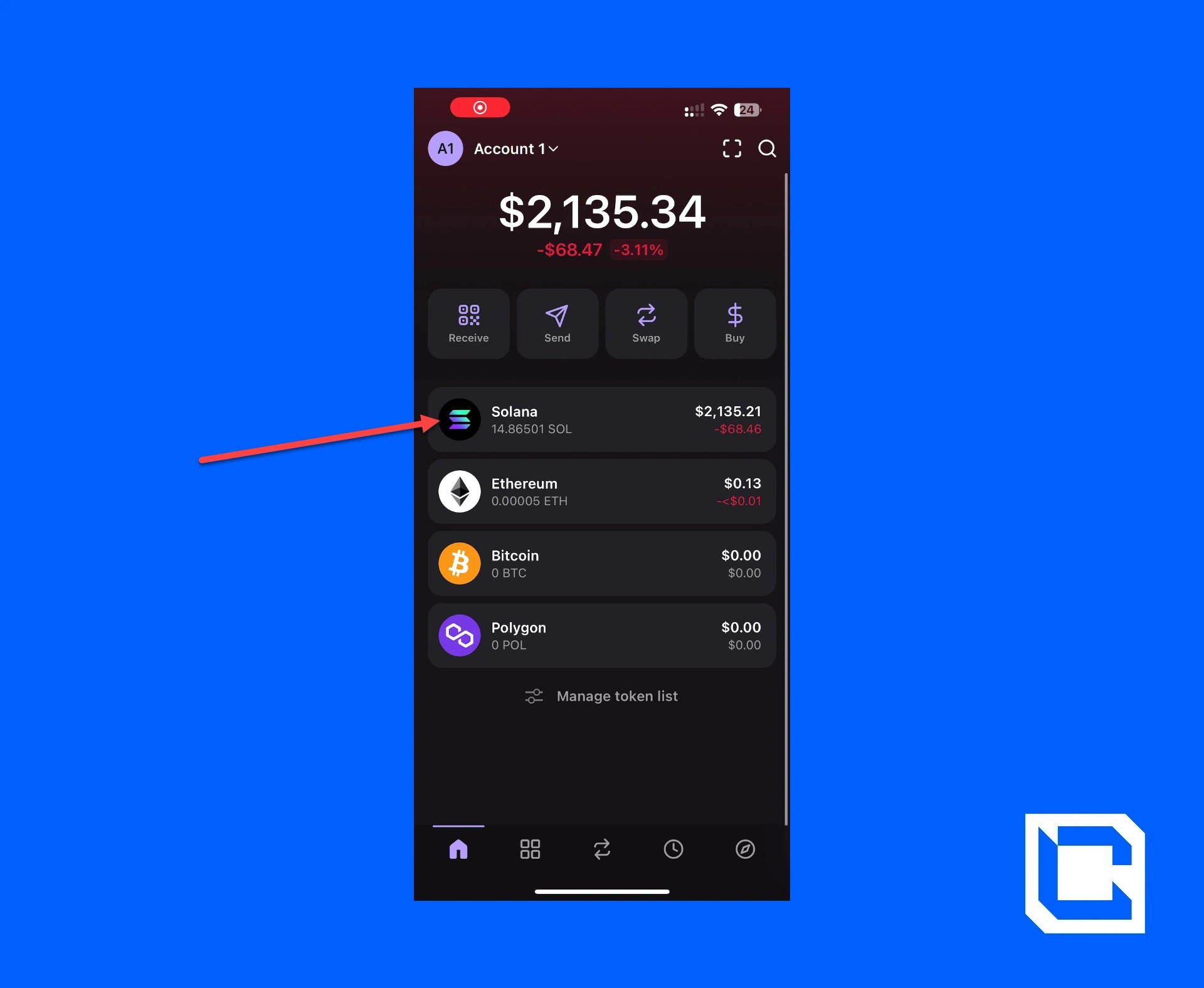
- Now tap on the "Receive" icon.
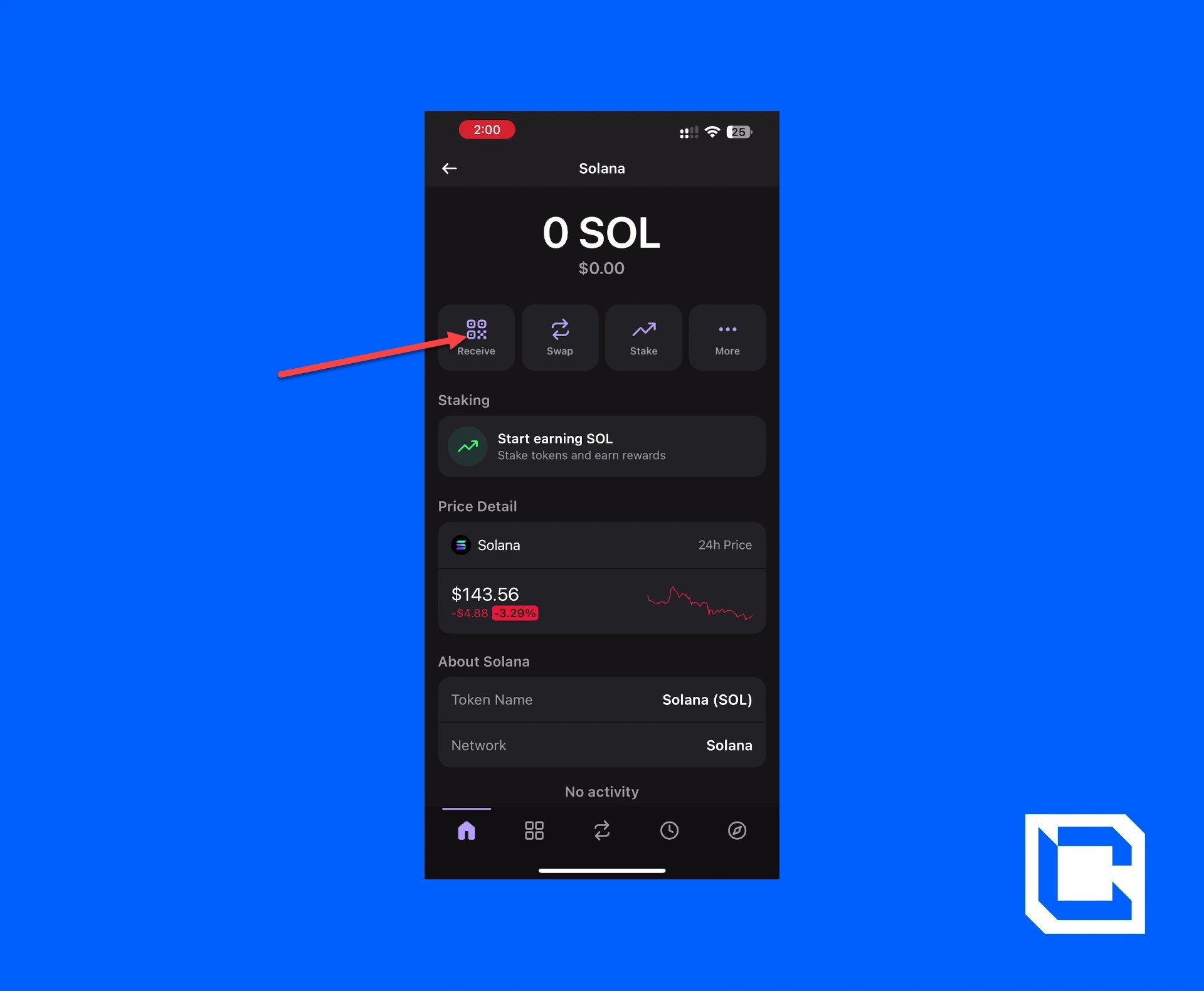
- Copy the address for SOL.
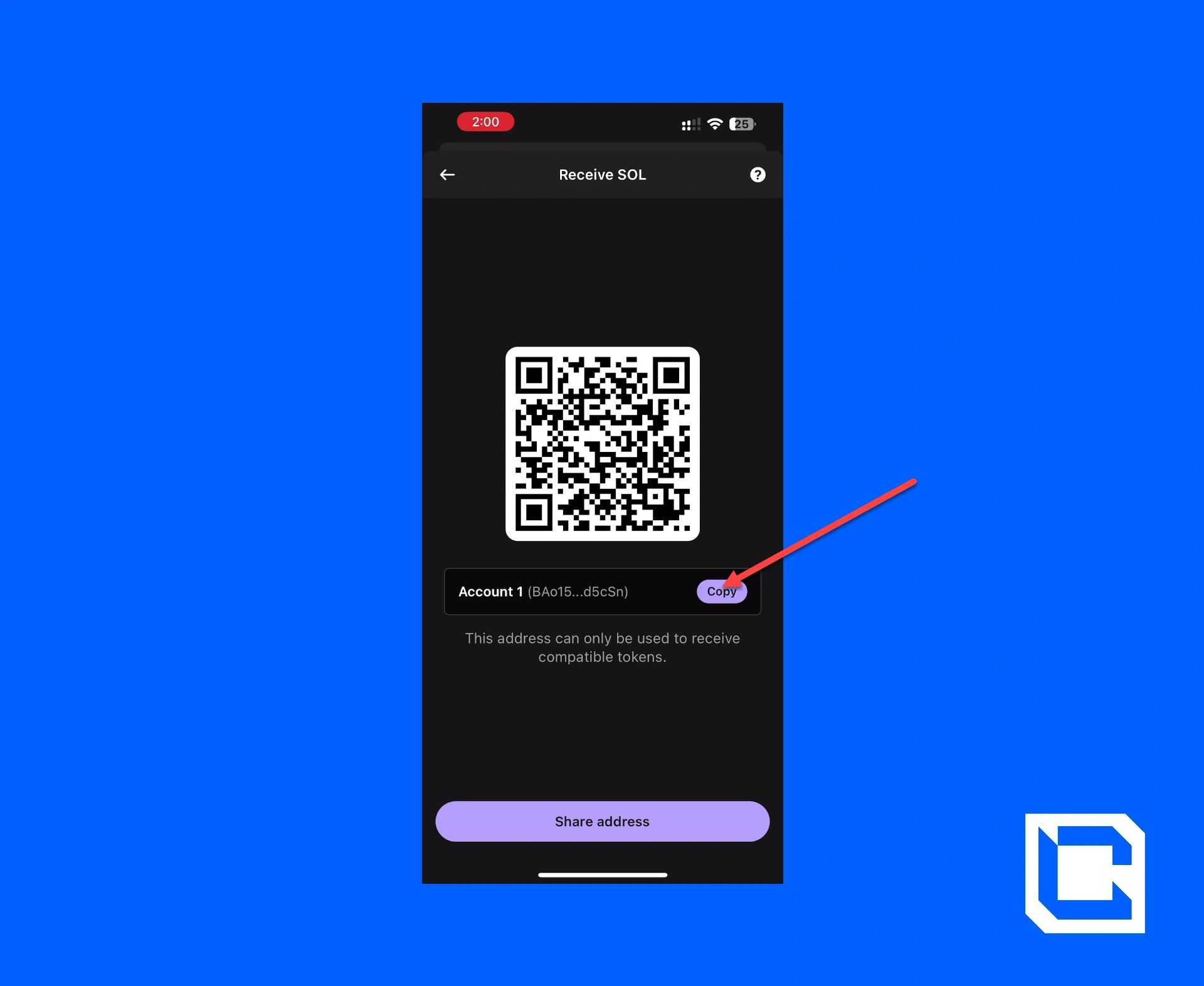
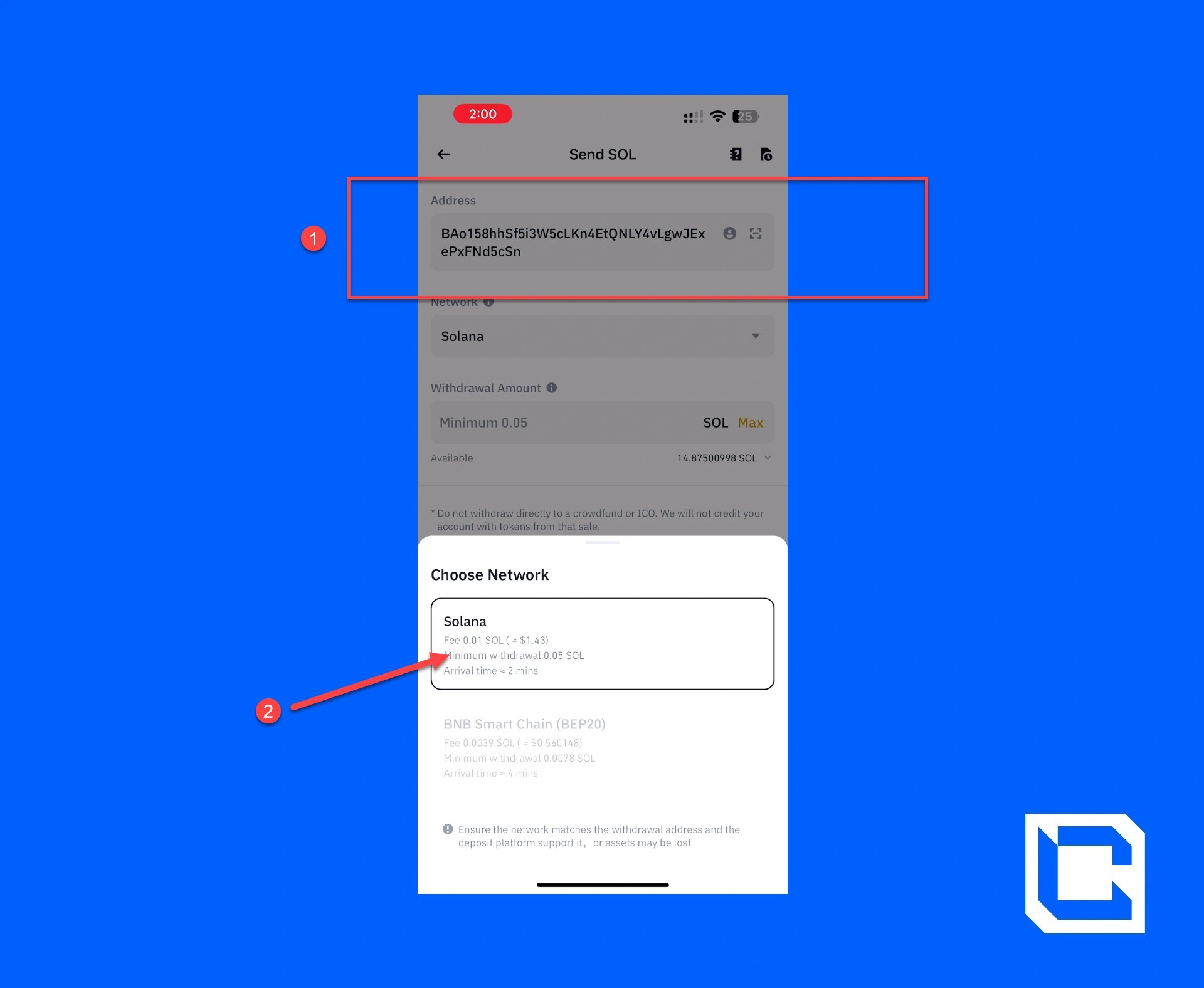
- Paste the previously copied SOL address of your Phantom Wallet and select the network.
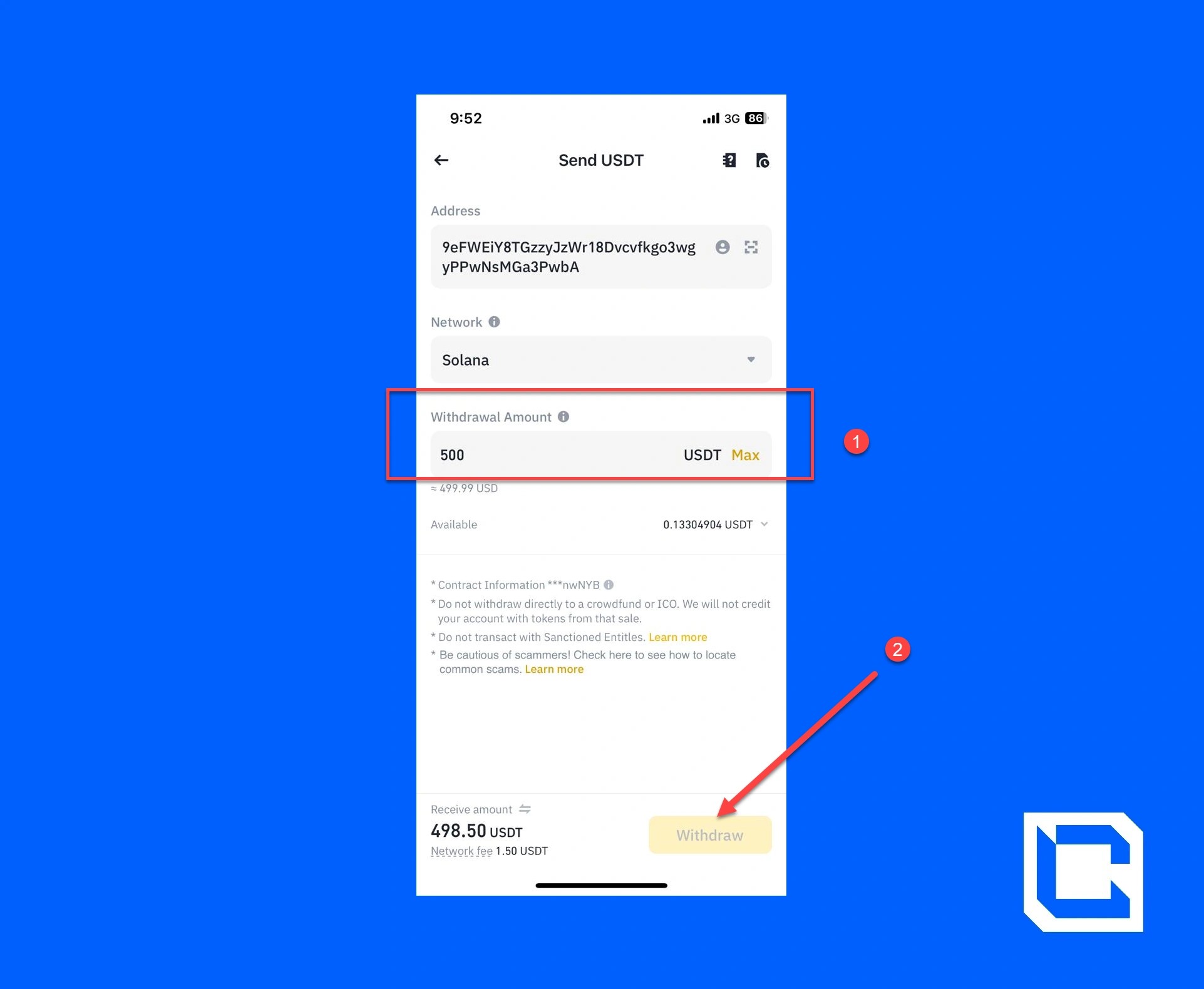
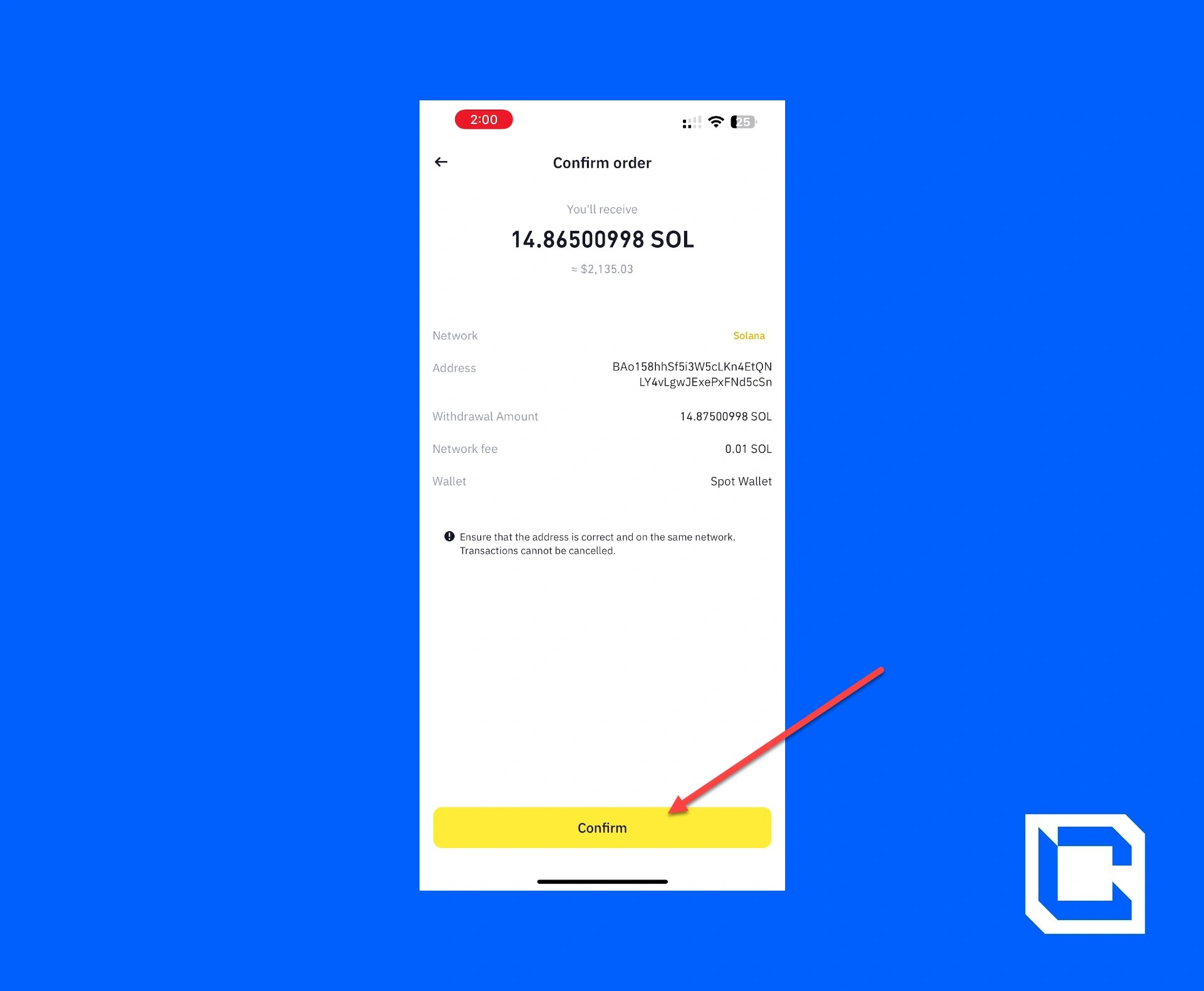
- Now, select the amount of USDT you want to send and tap on the "Withdraw" button.
- Tap on the "Confirm" button.
- Complete the authentication process for both Email and the Authenticator App.
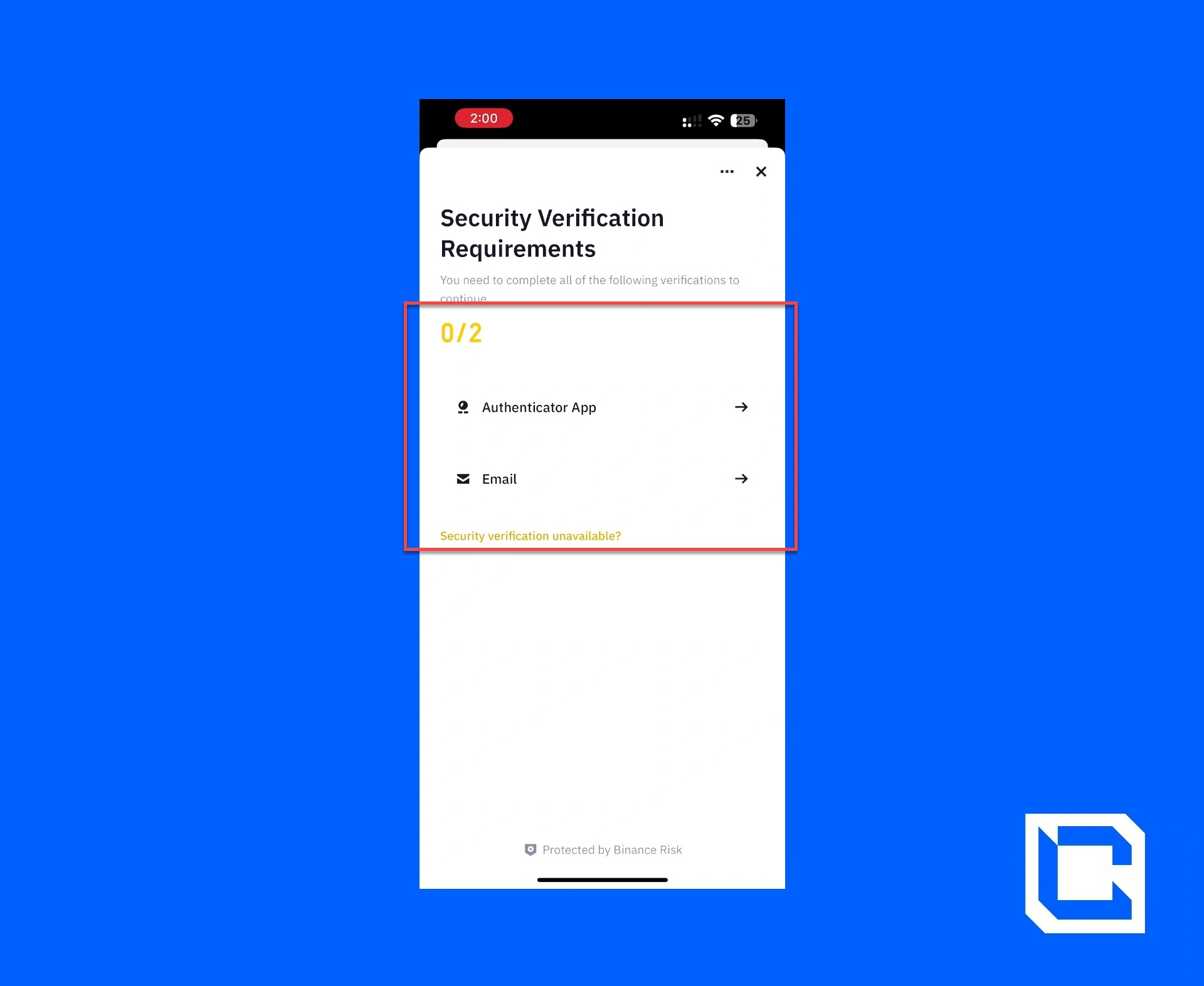
After completing the verification process, the USDT will be transferred to your Phantom Wallet.

Step 6: Placing a Limit Order on Jupiter
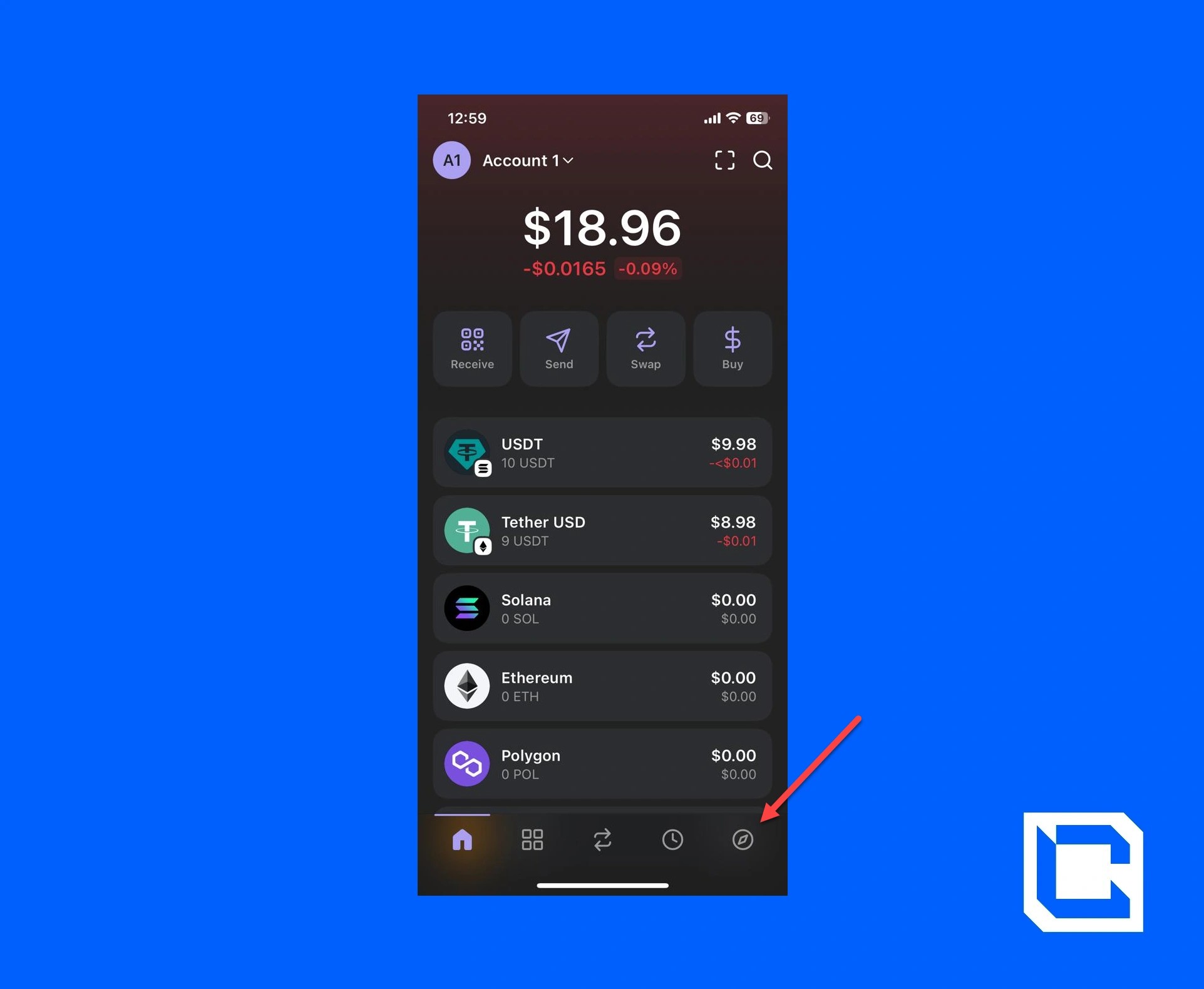
Now that everything is ready, we can proceed with placing a limit order. To do that, you need to follow these steps.- Tap on the "Discover" icon in the bottom-right corner.
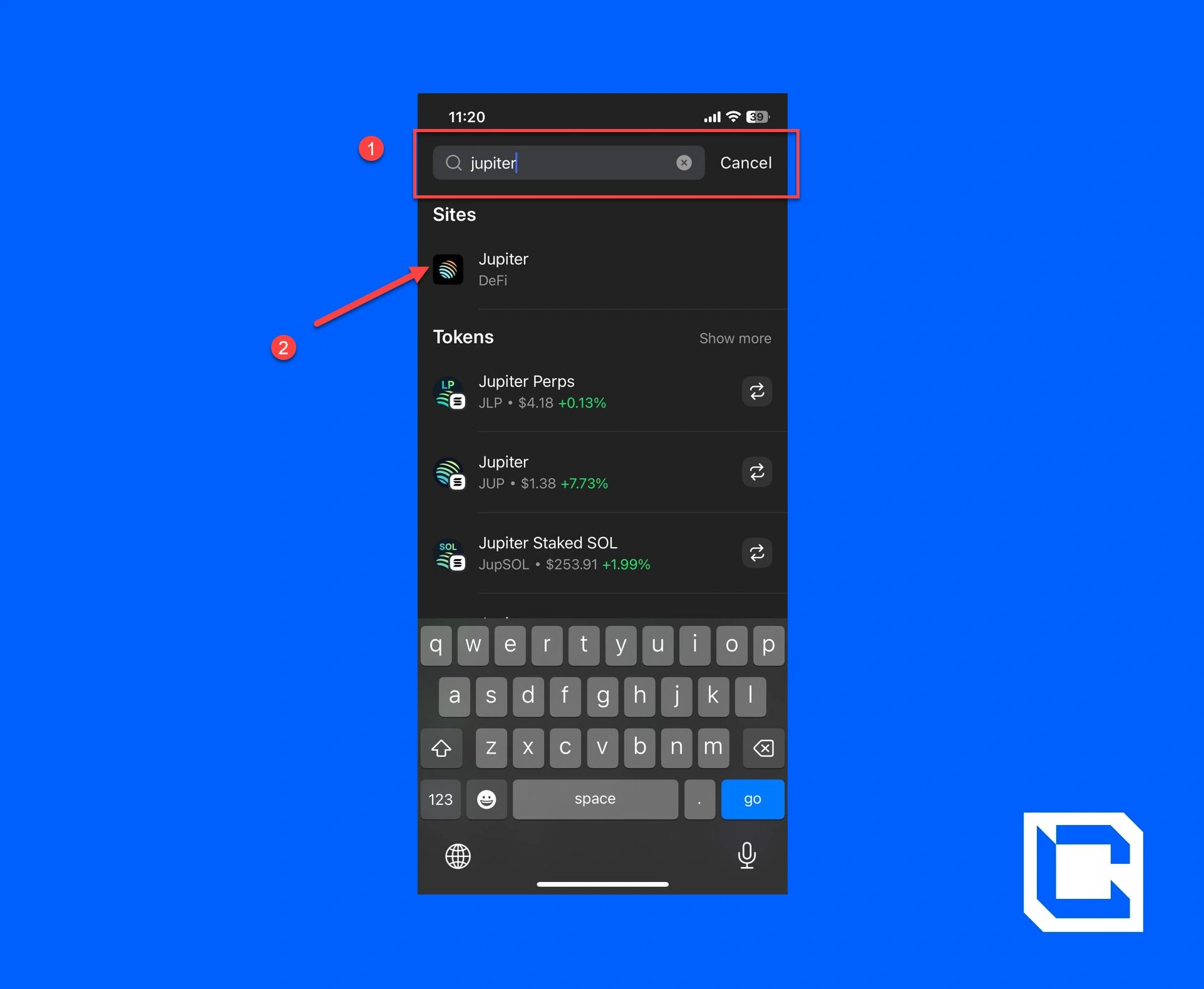
- Now, look up and tap on the "Jupiter" option.
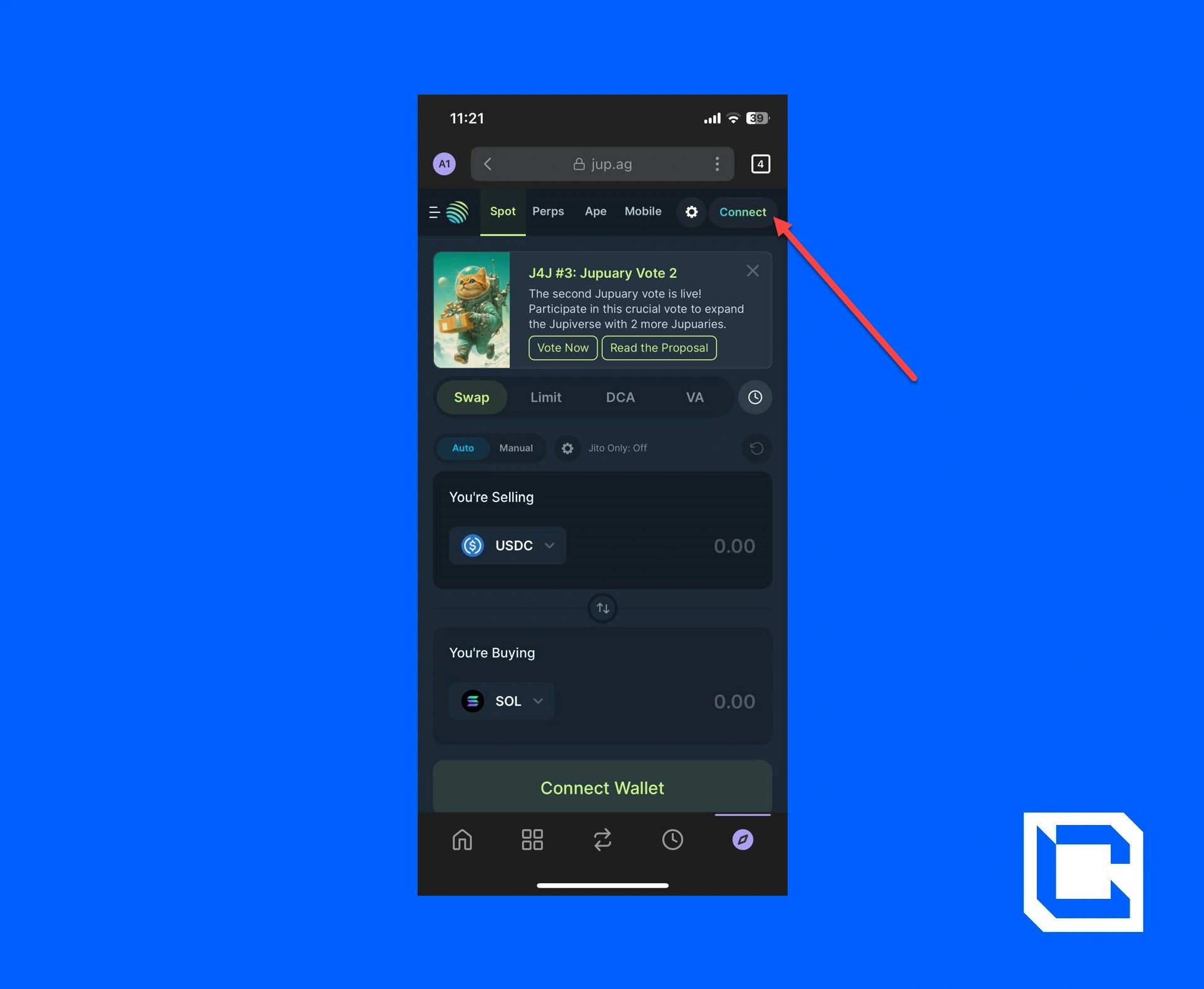
- Tap on the "Connect" button.
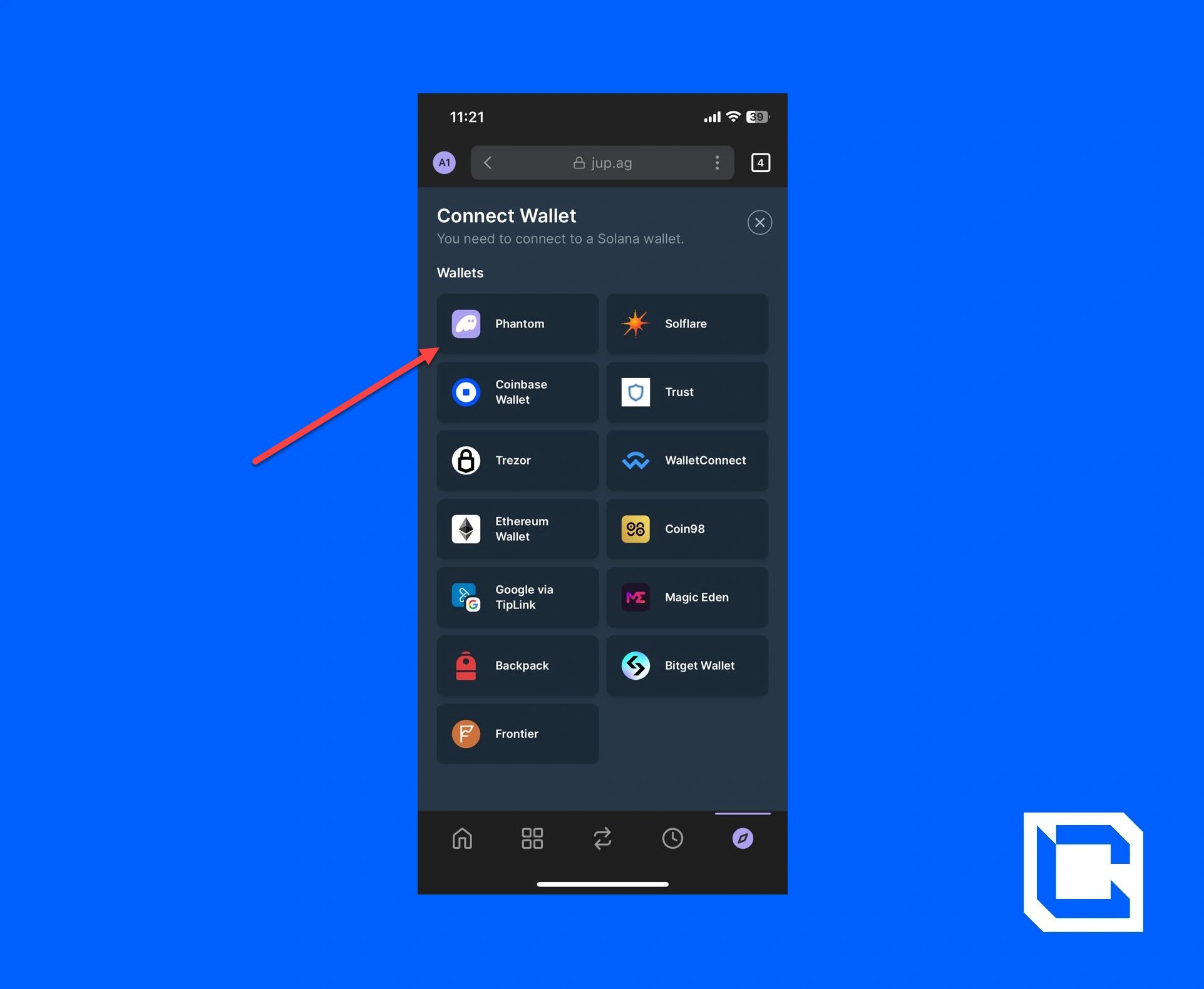
- Choose the "Phantom Wallet" option.
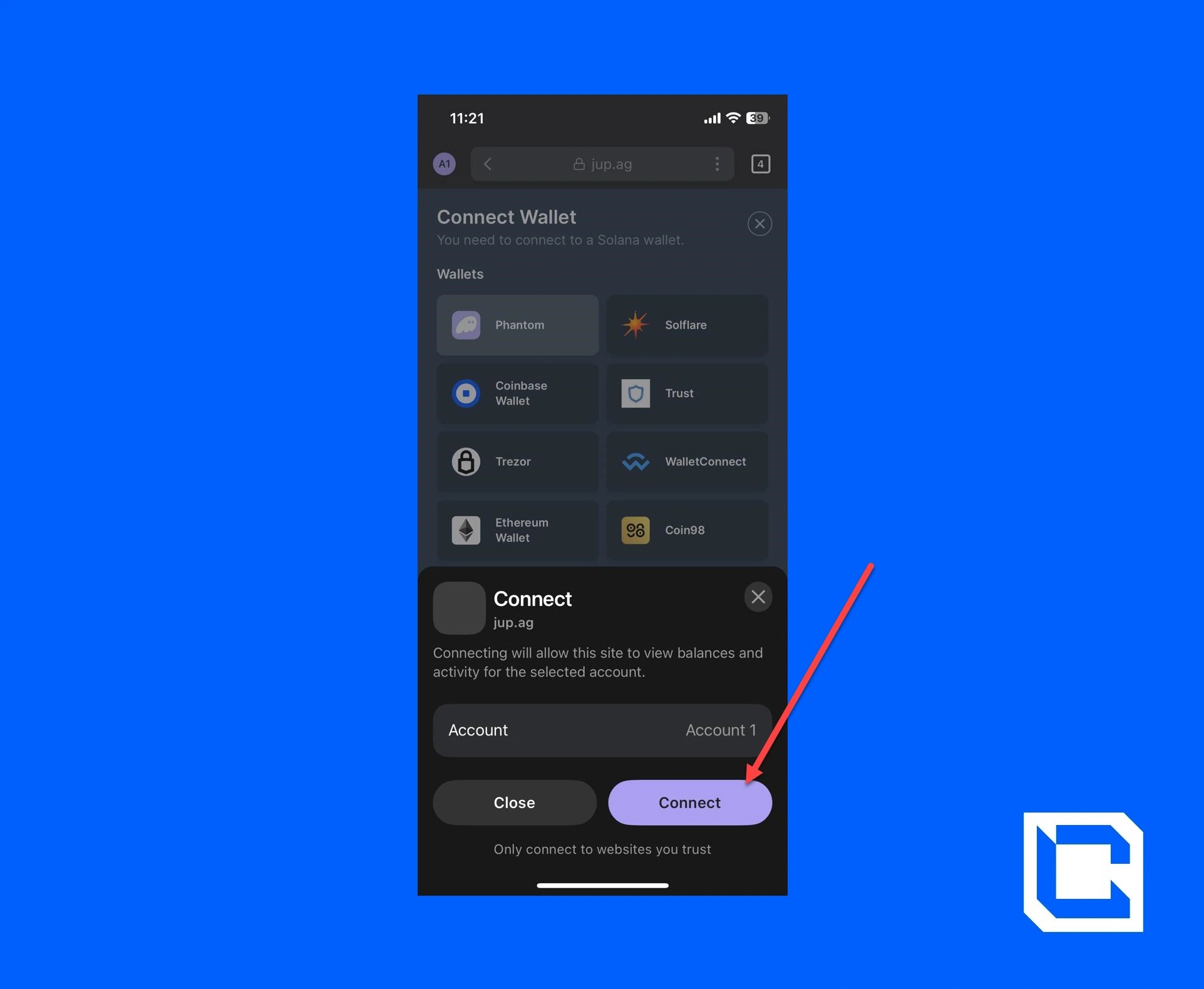
- After that, tap on the "Connect" button.
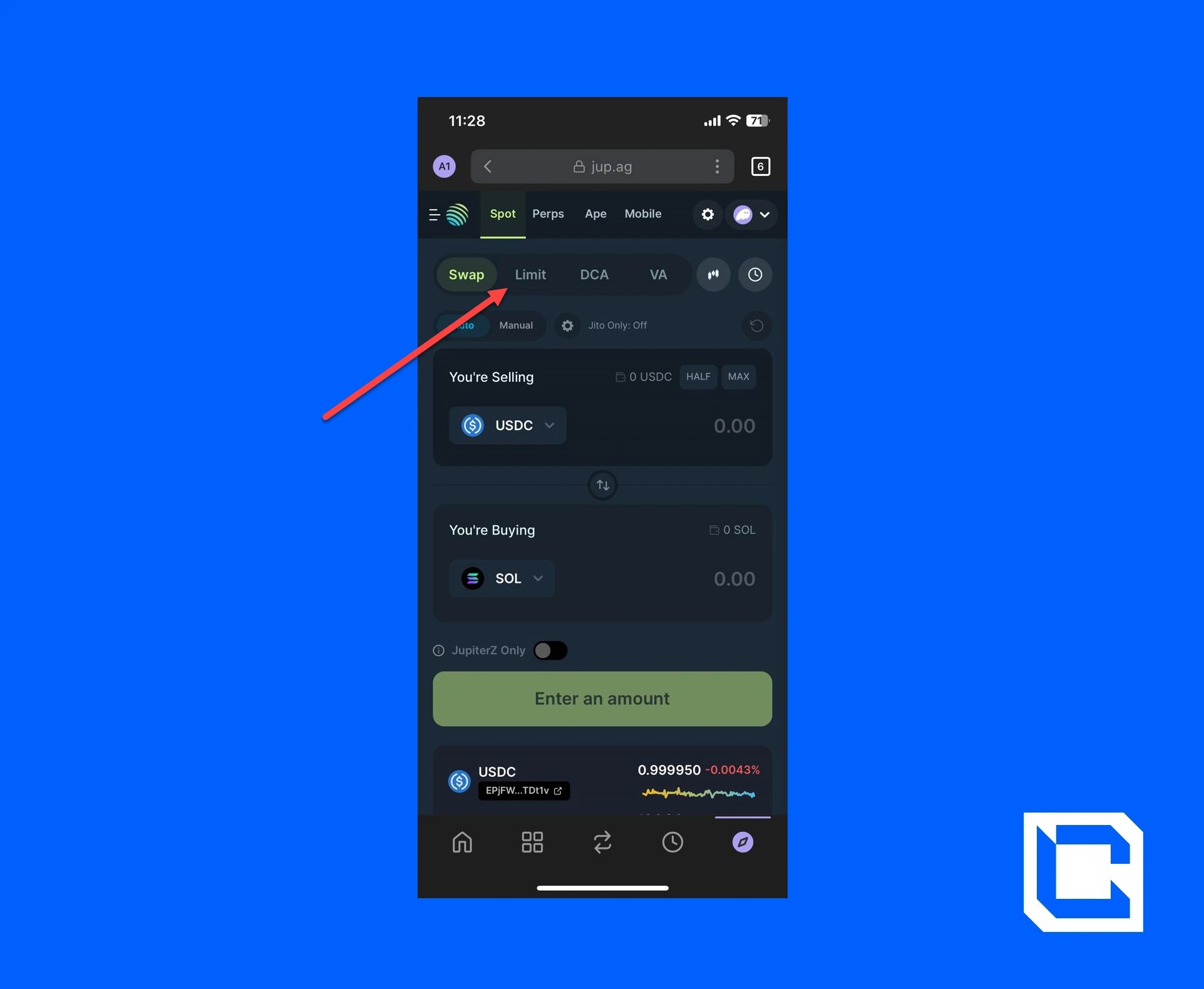
- Now, tap on the "Limit" option.
- Set the selling and buying tokens.
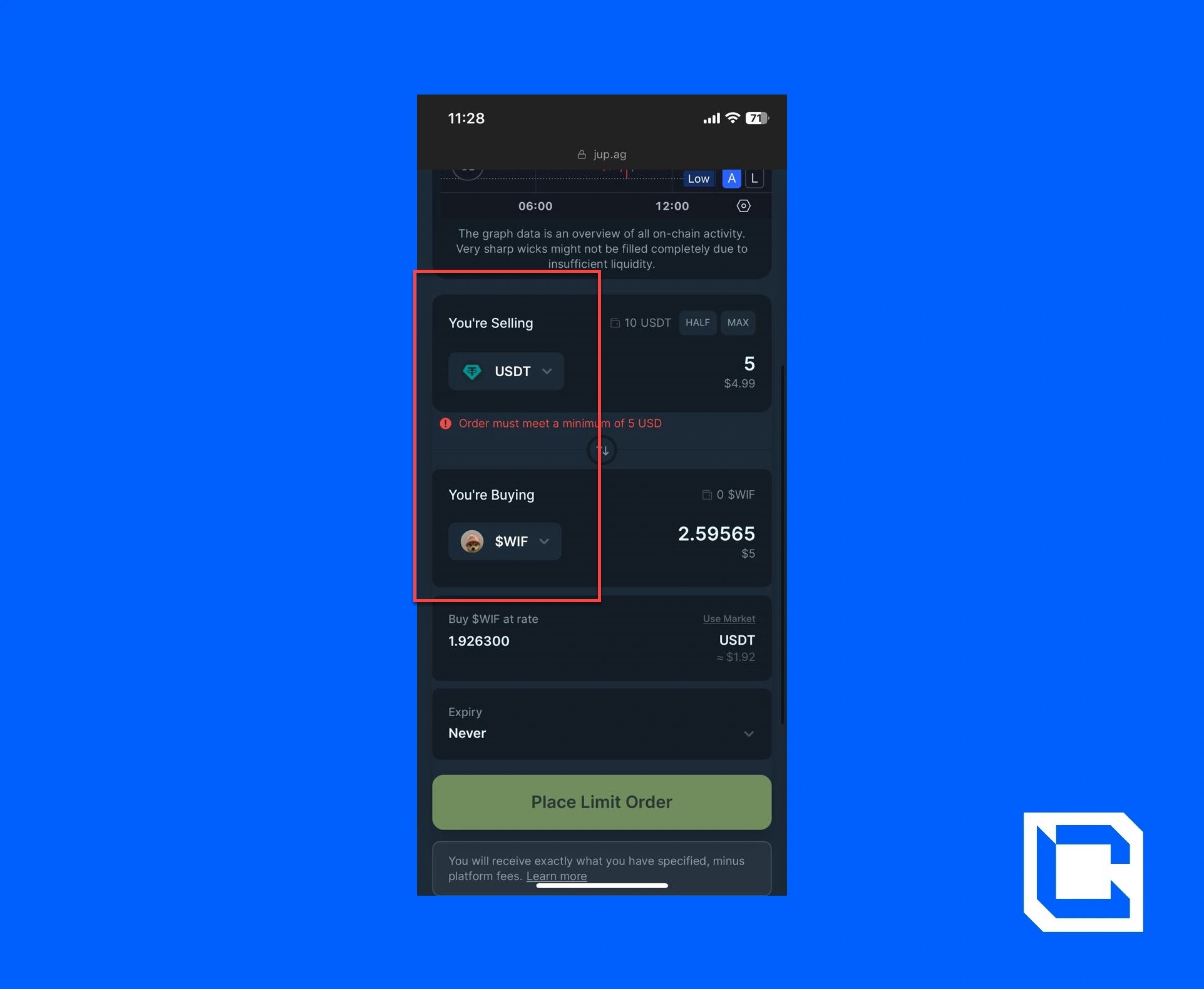
- Enter the amount you want to spend and purchase. After which, tap on the "Place Limit Order" button.
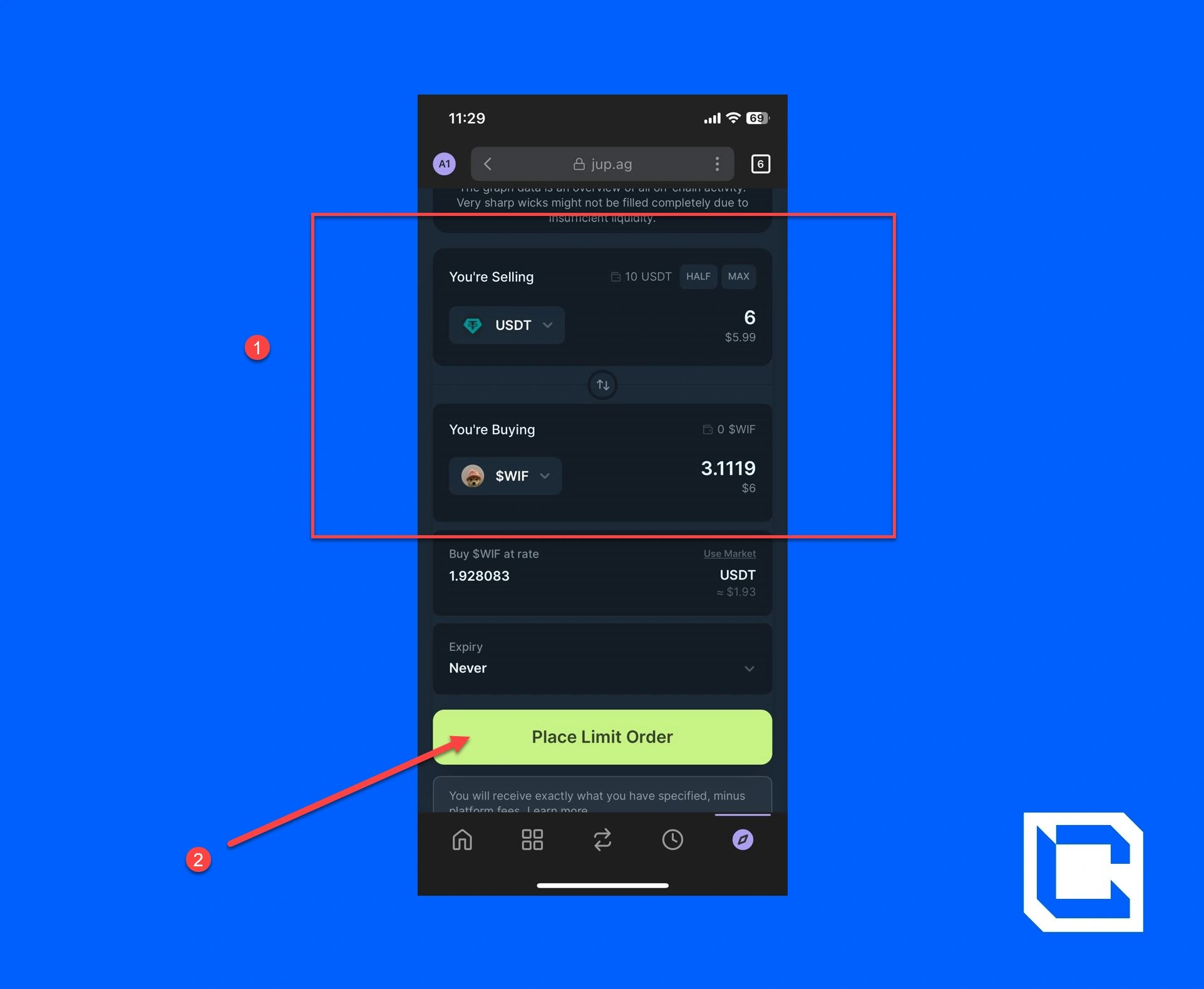
- A pop-up will appear. Verify all the details and tap on the "Confirm" button.
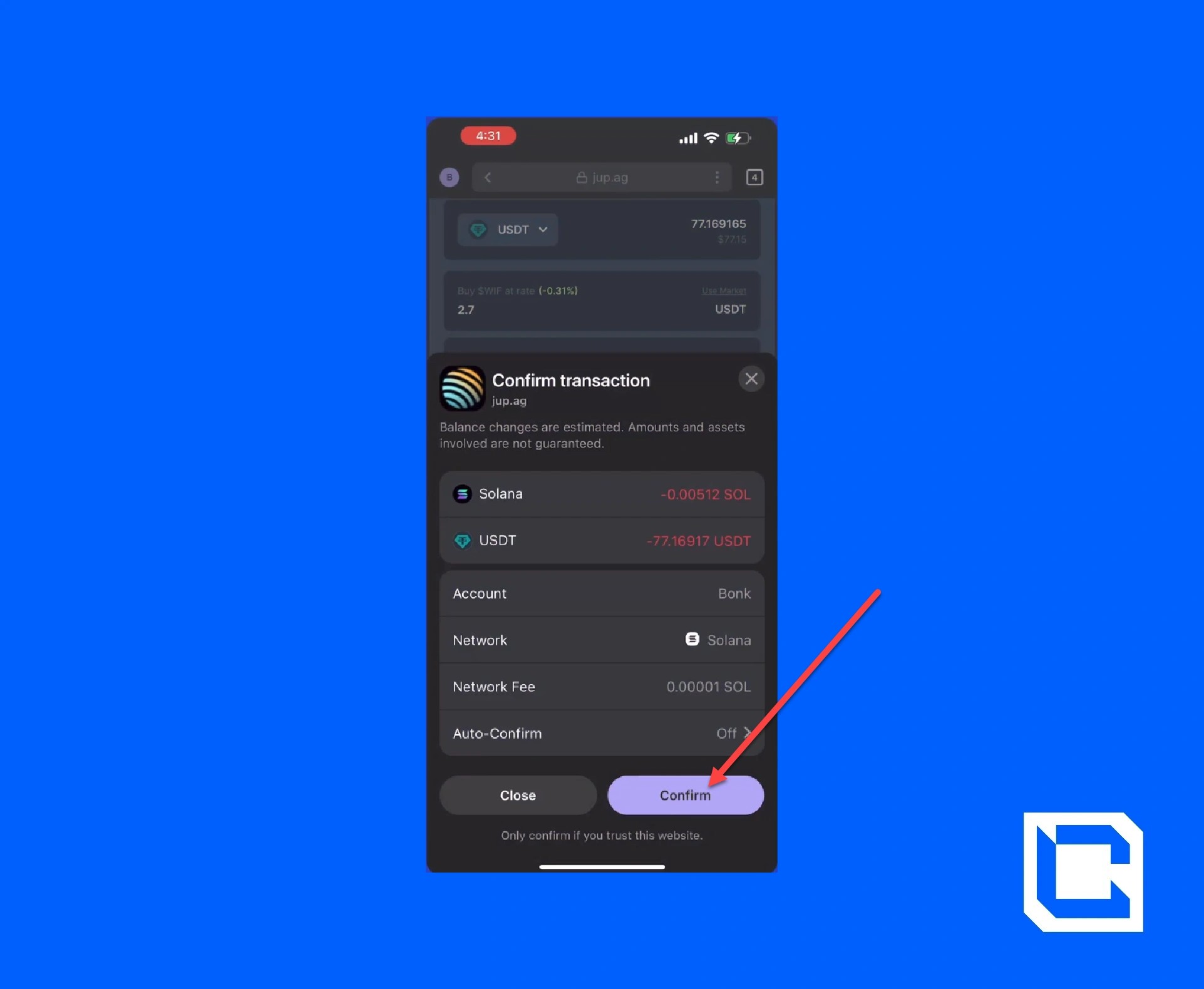
After the transaction executes on Solana, you can view your open orders below and cancel them if necessary. If an order executes, it will be found in the "Order History" section.
Conclusion
If you manage to follow the entire procedure correctly, you'll learn how to place limit orders on Jupiter. To keep your crypto further secure, use a hot wallet like Argent Wallet. One thing that you should always keep in mind is to do your research before buying any kind of coin.Even in the case of top coins like WIF, you should stay up-to-date with the market to maximise your profit. That's why if you need any kind of guidance, Cryptonary is here to help. No matter if it's a guide on the safest ways to buy crypto or recent market updates, we'll make sure to provide you with the most accurate information.
Take Your Crypto Trading to the Next Level 🚀
Mastering limit orders on Jupiter is just the beginning. To truly maximize your profits and stay ahead of the market, you need expert insights and proven strategies.At Cryptonary, we provide exclusive research, real-time market updates, and a community of 230,000+ successful investors. Try it 100% risk-free for 7 days and start making smarter trades today.
👉 Join Cryptonary now!
Continue reading by joining Cryptonary Pro
$0
Get everything you need to actively manage your portfolio and stay ahead. Ideal for investors seeking regular guidance and access to tools that help make informed decisions.


For your security, all orders are processed on a secured server.
As a Cryptonary Pro subscriber, you also get:
3X Value Guarantee - If cumulative documented upside does not reach 300% during your 12-month membership, you can request a full refund. Terms
24/7 access to experts with 50+ years’ experience
All of our top token picks for 2025
On hand technical analysis on any token of your choice
Weekly livestreams & ask us anything with the team
Daily insights on Macro, Mechanics, and On-chain
Curated list of top upcoming airdrops (free money)
3X Value Guarantee
If cumulative documented upside does not reach 300% during your 12-month membership, you can request a full refund.

Our track record speaks for itself
With over 2.4M tokens and widespread misinformation in crypto, we cut through the noise and consistently find winning assets.
Our track record speaks for itself
With over 2.4M tokens and widespread misinformation in crypto, we cut
through the noise and consistently find winning assets.


Frequently Asked Questions
Can I trust Cryptonary's calls?
Yes. We've consistently identified winners across multiple cycles. Bitcoin under $1,000, Ethereum under $70, Solana under $10, WIF from $0.003 to $5, PopCat from $0.004 to $2, SPX blasting past $1.70, and our latest pick has already 200X'd since June 2025. Everything is timestamped and public record.
Do I need to be an experienced trader or investor to benefit?
No. When we founded Cryptonary in 2017 the market was new to everyone. We intentionally created content that was easy to understand and actionable. That foundational principle is the crux of Cryptonary. Taking complex ideas and opportunities and presenting them in a way a 10 year old could understand.
What makes Cryptonary different from free crypto content on YouTube or Twitter?
Signal vs noise. We filter out 99.9% of garbage projects, provide data backed analysis, and have a proven track record of finding winners. Not to mention since Cryptonary's inception in 2017 we have never taken investment, sponsorship or partnership. Compare this to pretty much everyone else, no track record, and a long list of partnerships that cloud judgements.
Why is there no trial or refund policy?
We share highly sensitive, time-critical research. Once it's out, it can't be "returned." That's why membership is annual only. Crypto success takes time and commitment. If someone is not willing to invest 12 months into their future, there is no place for them at Cryptonary.
Do I get direct access to the Cryptonary team?
Yes. You will have 24/7 to the team that bought you BTC at $1,000, ETH at $70, and SOL at $10. Through our community chats, live Q&As, and member only channels, you can ask questions and interact directly with the team. Our team has over 50 years of combined experience which you can tap into every single day.
How often is content updated?
Daily. We provide real-time updates, weekly reports, emergency alerts, and live Q&As when the markets move fast. In crypto, the market moves fast, in Cryptonary, we move faster.
How does the 3X Value Guarantee work?
We stand behind the value of our research. If the documented upside from our published research during your 12-month membership does not exceed three times (3X) the annual subscription cost, you can request a full refund. Historical context: In every completed market cycle since 2017, cumulative documented upside has exceeded 10X this threshold.
TermsRecommended from Cryptonary